
|
Do it yourself
| |||
| ||||


Replacement of the rear brake shoes of the Peugeot Kisbee
Model: Peugeot Kisbee
Video tutorial
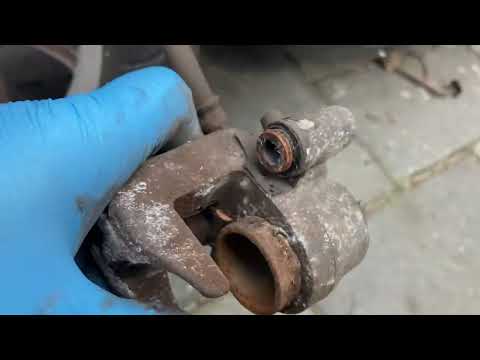
Today's main steps will show us how to disassemble and replace the rear brake shoes of the Peugeot Kisbee scooter. First, we put the scooter on the center stand and begin to disassemble and remove the exhaust silencer, unscrewing all the fixing screws; we then remove the drum by unscrewing the central bolt, thus accessing the brakes. At this point, we release the brake shoe spring to remove them and replace them with new original ones; we clean the brake plate from any remaining dirt, reassemble everything and adjust the cable if necessary.
Posted on 14 May 2025 by ScegliAuto
Related tutorials
Kisbee
This guide will show you how to remove and replace the front brake pads on the Peugeot Kisbee scooter, following these simple steps. First, place the…

Kisbee
In this video, you will learn how to remove and replace the front brake pads on a Peugeot Kisbee 50cc scooter in simple and quick steps. First, remov…
Kisbee
Today, you will learn how to remove and replace the front brake pads on the Peugeot Kisbee scooter. First, place the scooter on its centre stand and …
|
Using the Instrumentation and Infotainment of the Yamaha MT07
In this video, we can see the features of the infotainment system of the Yamaha MT-07, which has a 5" screen and a light sensor, preventing glare at night. From the right control panel, scroll through the various options, including connectivity with your smartphone. You can choose between two different interfaces: touring and street; in touring, you have the rev counter, fuel level indicator, coolant temperature indicator, and speed; additionally, there are standard information such as mileage, time, and other general information. Naturally, in settings, you have the option to reset the service indicator and all normal settings, making it similar to the multifunction display of a car. by ScegliAuto More videos
|
|
For advertising on this site Write to info@scegliauto.com
ScegliAuto is not responsible for any inaccuracy of the data in the lists. To report any inaccuracy or your business (if you own the business in question), please write to info@scegliauto.com
Number of seconds to generate the page: 0.010
(c) ScegliAuto 2026 - info@scegliauto.com - Privacy policy VAT number: IT01247470535 |
