
|
Do it yourself
| |||
| ||||


How to restart the touchscreen display of the Peugeot 208.
Model: Peugeot 208
A9, MK 1
- Years 2012-2019
To restart the touchscreen display of the Peugeot 208, it is important to work with the car stationary and the ignition in the on position, so that the system is active without distractions while driving. From the driver's seat, bring the display to the main screen of the multimedia system, where the icons of the various menus are visible. Tap the settings icon to enter the system configuration page. Within this menu, there is a command that allows you to turn off and restart the infotainment system: select the box with the power symbol and confirm the operation. The display will darken for a few moments and all multimedia functions will be halted. After a few seconds, the screen will turn back on, the Peugeot logo will appear, and the initial screen with radio, Bluetooth, and vehicle settings will load again. This shutdown and restart cycle often helps resolve minor freezes or slowdowns of the touchscreen system in the Peugeot 208, without disconnecting the battery or interfering with the electrical components.
Posted on 27 November 2025 by ScegliAuto
Video tutorial
Related tutorials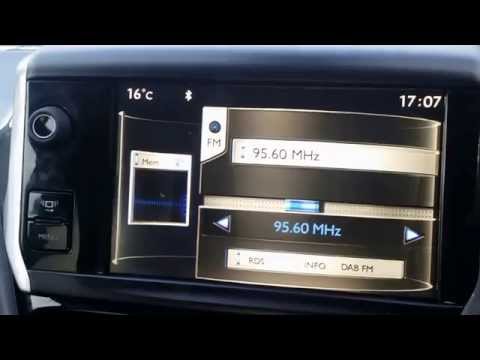
Peugeot 208
(2012-2019 /
A9, MK 1)
In this video tutorial, you will learn how to remove and replace the standard radio or central touch screen display of the Peugeot 208, as well as th…

Peugeot 208
(2012-2019 /
A9, MK 1)
Yes, like any electronic device, the touchscreen display of the 2013 Peugeot 208 can suddenly freeze. Malfunctions of this kind are usually related t…

Peugeot 208
(2019-2026 /
UB, UJ, UP, MK 2, UW)
To update the touchscreen system on your Peugeot 208, you can follow these general steps. Go to the official Peugeot website or use the "MyPeugeot" a…
Other guides you may be interested in
|
Frequently Asked QuestionsHow to set the clock on the Opel Zafira
Setting the clock to the current Italian time on an Opel Zafira model B vehicle is a very simple operation, which can also be done independently thanks to our short instructional video. The first thing to do is to turn on the instrument panel and then press the SETTING button, located on the central dashboard. Once inside the menu, use the buttons to navigate to the clock setting. Change the hours and minutes and restart the instrument panel. If the clock is not updated, a diagnosis may be necessary at the radio or vehicle control unit. by ScegliAuto More videos
|
|
For advertising on this site Write to info@scegliauto.com
ScegliAuto is not responsible for any inaccuracy of the data in the lists. To report any inaccuracy or your business (if you own the business in question), please write to info@scegliauto.com
Number of seconds to generate the page: 0.106
(c) ScegliAuto 2026 - info@scegliauto.com - Privacy policy VAT number: IT01247470535 |
