
|
Do it yourself
| |||
| ||||


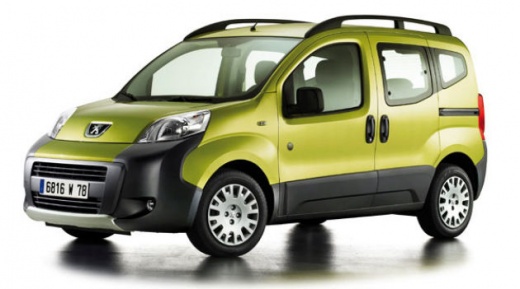
How to Add Engine Oil to a 2008 Peugeot Bipper?
Model: Peugeot Bipper Tepee
MK 1
- Years:
2007, 2008, 2009, 2010, 2011, 2012, 2013, 2014, 2015, 2016
Video tutorial
Adding engine oil to a Peugeot Bipper should not be done haphazardly, as an excessive amount of this fluid can cause damage. Before topping up, check the oil level. Park the car on a level surface and wait for the engine to cool down, then open the bonnet and locate the oil dipstick. Remove it, wipe it clean, and reinsert it, then take it out again: ensure that the oil level is between the minimum and maximum marks. If the level is below the minimum, top up by adding a small amount of oil at a time and always check the level.
Posted on 29 July 2026 by ScegliAuto
Related tutorials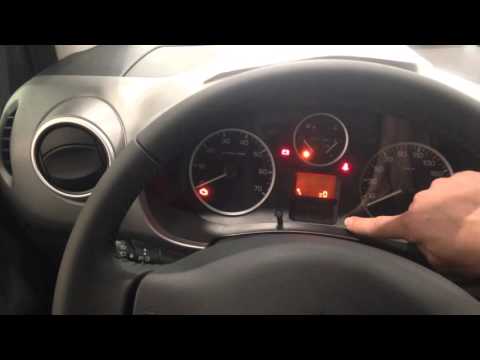
Peugeot Bipper Tepee
(2007-2016 /
MK 1)
What to do when a warning light appears on the dashboard? In this video, see how to reset the oil service indicator on a Peugeot Bipper. This operati…

Peugeot Bipper Tepee
(2007-2016 /
MK 1)
If you own a Peugeot Bipper and want to locate the OBD port yourself, simply follow this guide step by step. First, enter your Peugeot Bipper and rea…

Peugeot Bipper Tepee
(2007-2016 /
MK 1)
On the Peugeot Bipper, all the fuses are contained in dedicated boxes designed to hold them: in this model of car, you can find two boxes that serve …
Other guides you may be interested in
|
How to Reset the Tyre Pressure Warning Light on the Opel Mokka?
To reset the tyre pressure warning light on the Opel Mokka, turn on the ignition by inserting the key into the ignition switch. Once the ignition is on, navigate through the menu that appears on the dashboard by pressing the MENU button on the lever to the left of the steering wheel. When the tyre pressure option appears, press and hold the SET/CLR button located on the same lever. This will reset the warning light, and you can then turn off the ignition. by ScegliAuto More videos
|
|
For advertising on this site Write to info@scegliauto.com
ScegliAuto is not responsible for any inaccuracy of the data in the lists. To report any inaccuracy or your business (if you own the business in question), please write to info@scegliauto.com
Number of seconds to generate the page: 0.054
(c) ScegliAuto 2026 - info@scegliauto.com - Privacy policy VAT number: IT01247470535 |
