
|
Do it yourself
| |||
| ||||


|
Model: Piaggio Vespa Gts 300 Hpe
Manually resetting the service light on the central panel of your Vespa 300 GTS Hpe is very simple, and you just need to follow these steps to complete the operation. First, insert the key and turn on the panel, then use the button located on the left handlebar to navigate through the various menu options. Once you see the battery voltage on the display, hold down the same button used earlier for about ten seconds. Finally, release the button, and the service light reset procedure is complete.
Posted on 9 October 2025 by ScegliAuto
Video tutorial
Related tutorials
Vespa Gts 300 Hpe
In this tutorial, we will see how to replace the engine oil in the Piaggio Vespa GTS 300 HPE scooter, a very simple and quick operation. First of all…

Vespa Gts 300 Hpe
In this guide, we will see the main instructions that will allow us to disassemble and replace the brake levers of the Piaggio Vespa GTS 300 HPE scoo…

Vespa Gts 300 Hpe
In this guide we will see the procedure for disassembling and replacing the rear fairings and instrument panel of the Piaggio Vespa GTS 300 HPE scoot…
|
How to change the engine oil of a GasGas MC 65?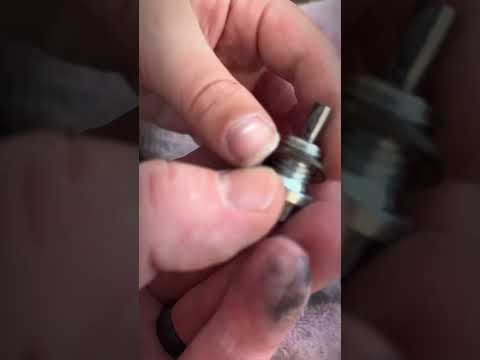
To change the engine oil of a GasGas MC 65, start by positioning the bike on a flat and level surface. Remove the oil filler cap. Then, remove the oil drain plug and place a draining container underneath. Once the oil has completely drained, re-tighten the drain plug securely. Fill the engine with new oil through the filler hole, using the oil recommended for your specific model. Consult the owner's manual for the capacity and type of oil advised. Once filled, start the engine for a moment to allow the oil to circulate. Turn off the engine and check the oil level with the dipstick. Add oil if necessary to bring the level to the correct point. Finally, replace the filler cap and ensure all caps are tightly secured. by ScegliAuto More videos
|
|
For advertising on this site Write to info@scegliauto.com
ScegliAuto is not responsible for any inaccuracy of the data in the lists. To report any inaccuracy or your business (if you own the business in question), please write to info@scegliauto.com
Number of seconds to generate the page: 0.007
(c) ScegliAuto 2026 - info@scegliauto.com - Privacy policy VAT number: IT01247470535 |
