
|
Do it yourself
| |||
| ||||


|
Model: Piaggio Vespa Gts 125
This short guide will show you how to set the clock on the display of the instrument panel of the Piaggio Vespa GTS 125 scooter. First, place the scooter on the centre stand and turn on the instrument panel; to adjust the clock, press the left button until you reach the settings option, then hold down the button located at the bottom right of the handlebar to make adjustments, as shown in the video. Set the hours and minutes, then exit the menu to save the changes made!
Posted on 26 February 2026 by ScegliAuto
Video tutorial
Related tutorials
Vespa Gts 125
In this brief guide, find instructions on how to set the clock on the display of the instrument panel of the Piaggio Vespa GTS 125 and 125 Primavera …

Vespa Gts 125
The clock adjustment of the Piaggio Vespa GTS 125 is done by holding down the black button located immediately below the instrument panel of the moto…

Vespa Gts 125
In this tutorial, you can see how to set the time on the Piaggio Vespa GTS 125 scooter, a very simple and quick operation to perform after replacing …
|
How to replace the coolant in the BMW S1000 R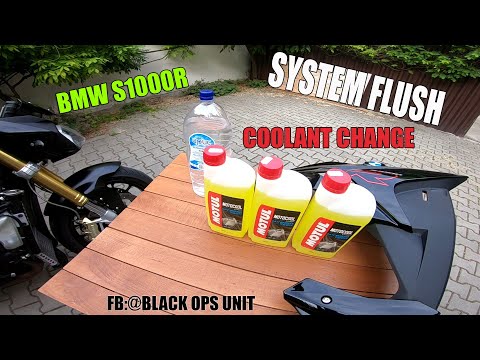
Today, we will see in this video tutorial how to bleed and replace the coolant in the BMW S1000 R motorcycle. First, place your motorcycle on a stand and start unscrewing the bleed screw located on the water pump casing, found at the bottom right; let the fluid drain into a container for about ten minutes. Now, unscrew the radiator cap and top up with the new coolant, the correct type for your radiator; fill it to the maximum level mark, starting the engine to circulate the fluid! by ScegliAuto More videos
|
|
For advertising on this site Write to info@scegliauto.com
ScegliAuto is not responsible for any inaccuracy of the data in the lists. To report any inaccuracy or your business (if you own the business in question), please write to info@scegliauto.com
Number of seconds to generate the page: 0.063
(c) ScegliAuto 2026 - info@scegliauto.com - Privacy policy VAT number: IT01247470535 |
