
|
Do it yourself
| |||
| ||||


Model: Piaggio Fly
To replace the battery on a Piaggio Fly, ensure the scooter is securely immobilised so you can work safely and protect the operator's safety. In this case, place the scooter on its stand. Now, being careful not to scratch the mudguard, remove the Piaggio logo from its position using a screwdriver. Unscrew the bolt underneath and remove the central black grille (slide it towards the handlebars and pull it out). At this point, locate the battery position (bottom right), unscrew the bolts securing the plastic battery cover and the connected cables using the appropriate tools. Then, unscrew the two screws from the inner wall of the storage compartment corresponding to the battery, remove that section of the wall, and extract the battery from its housing. To install the new battery, repeat the steps shown in reverse order.
Updated on 10 April 2026 by ScegliAuto
Video tutorial
Related tutorials
Fly
Below are the steps necessary to remove and replace the battery of the Piaggio Fly scooter. First, put down the centre stand and lift the seat; you w…
Fly
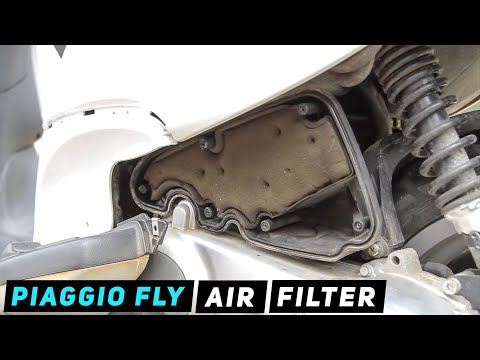
Before you start, place your Piaggio Fly on the central stand. Begin by unscrewing and removing the screws that secure the air filter cover. Next, un…

Fly
To change the engine oil of the Piaggio Fly, access the lower right part of the scooter and unscrew the oil drain plug, allowing the oil to collect i…
|
How to Replace the Battery in a Yamaha Vino 125 Scooter?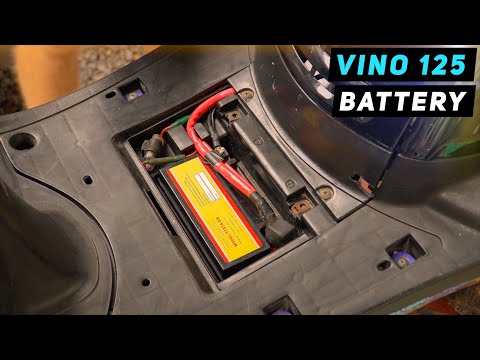
In this tutorial, you will see how to replace the battery in a Yamaha Vino 125 scooter, a very simple and quick operation. First, ensure that the key is not inserted for safety. Then, lift the rubber mat and, using a simple cross-head screwdriver, unscrew the two screws securing the plastic cover. Once opened, disconnect both terminals, starting with the negative, and remove the battery from its housing. To fit the replacement, simply follow the reverse procedure. by ScegliAuto More videos
|
|
For advertising on this site Write to info@scegliauto.com
ScegliAuto is not responsible for any inaccuracy of the data in the lists. To report any inaccuracy or your business (if you own the business in question), please write to info@scegliauto.com
Number of seconds to generate the page: 0.140
(c) ScegliAuto 2026 - info@scegliauto.com - Privacy policy VAT number: IT01247470535 |
