
|
Do it yourself
| |||
| ||||


|
Model: Piaggio Beverly 400
To manually set the time displayed on the dashboard of the Beverly 400, just a few simple steps are needed. Follow the procedure below to complete the task without any difficulty. First, insert the key and turn on the ignition. Next, locate the two buttons in the centre of the dashboard and hold down the one on the right until the time starts to flash. At this point, press the button multiple times to change both the hour and minute digits. Finally, hold it down again for a few seconds to save the changes.
Updated on 16 May 2026 by ScegliAuto
Video tutorial
Related tutorials
Beverly 400
In this video, learn how to set the correct time on the instrument cluster of a Piaggio Beverly 400: the cluster must be on, but the engine must be o…

Beverly 400
Discover how to adjust the date and time on the Piaggio Beverly 400 scooter in this brief and simple guide. First, turn on the instrument panel and p…

Beverly 400
The instructions in this guide will show us how to change the unit of measurement of the speedometer of the Piaggio Beverly 400 scooter. First of all…
|
How to Replace the Fuel Pump on the Yamaha Majesty 400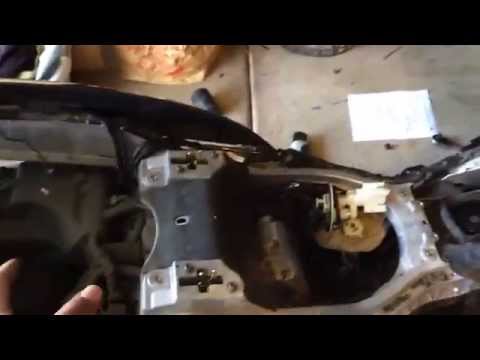
To replace the fuel pump on the Yamaha Majesty 400, you need to loosen the screws that secure the fuel tank to its housing: once this has been removed and disconnected from hoses and connectors, you will be able to locate the fuel pump underneath. The pump can be removed from its housing by unscrewing the screws that secure it in place, allowing you to slide it out and replace it with a new one: after inserting the new pump, you can then check that everything functions correctly. by ScegliAuto More videos
|
|
For advertising on this site Write to info@scegliauto.com
ScegliAuto is not responsible for any inaccuracy of the data in the lists. To report any inaccuracy or your business (if you own the business in question), please write to info@scegliauto.com
Number of seconds to generate the page: 0.007
(c) ScegliAuto 2026 - info@scegliauto.com - Privacy policy VAT number: IT01247470535 |
