
|
Do it yourself
| |||
| ||||


How do you reset the partial odometer of the Renault Captur?
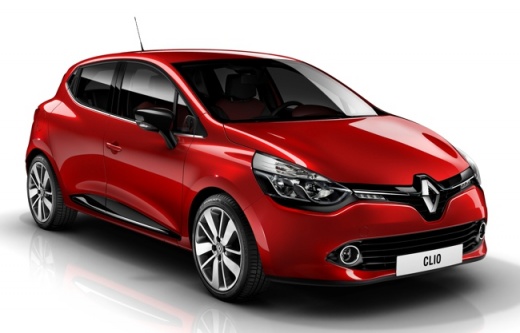
Model: Renault Clio
Clio IV, Clio 4, MK 4
- Years 2012-2019
To reset the partial mileage counter of the Renault Clio, you will need to insert the ignition key into the corresponding slot: once the dashboard is turned on, you can navigate through the menu that appears on the instrument panel using the arrow buttons located on the side of the steering wheel. Once the option with the total kilometers and those traveled since the last reset appears, you can press and hold the OK button located on the steering wheel: after a few seconds, you will see that the partial mileage counter will be reset.
Posted on 28 August 2024 by ScegliAuto
Video tutorial
Related tutorials
Renault Clio
(2012-2019 /
Clio IV, Clio 4, MK 4)
Today's information will allow us to reset the partial or daily odometer of the Renault Clio in simple steps. First, we get into the car and start th…

Renault Clio
(2012-2019 /
Clio IV, Clio 4, MK 4)
In order to reset the partial odometer of the Renault Clio, you need to insert the key into the ignition and turn it so that the dashboard can be tur…

Renault Clio
(2019-2026 /
Clio 5, Clio V)
Observing the video guide above, we can notice the partial odometer of the Renault Clio 5 and how to access its display. Of this very important tool,…
Other guides you may be interested in
|
Frequently Asked QuestionsHow to Remove the Fuel Filter on Opel Corsa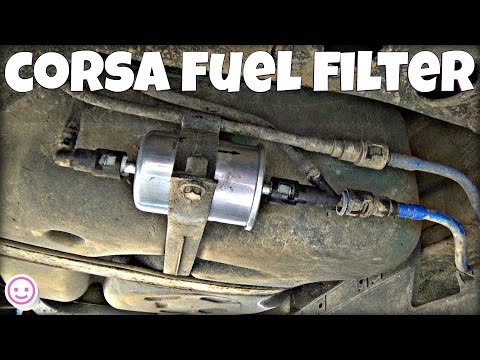
Here's how to remove and replace the fuel filter on an Opel Corsa: Lift the car on a column lift or jack and locate the fuel filter as shown in the video. Using a socket or spanner, unscrew the securing bolts of the round plate around the filter (disconnect the wires and various hoses from the filter) and remove it from under the body. Once the filter is removed, take it out of the vehicle (replace it with a new filter). Finally, reattach the fuel filter (connect the hoses and wires) and tighten the appropriate bolts. Close the front bonnet. by ScegliAuto More videos
|
|
For advertising on this site Write to info@scegliauto.com
ScegliAuto is not responsible for any inaccuracy of the data in the lists. To report any inaccuracy or your business (if you own the business in question), please write to info@scegliauto.com
Number of seconds to generate the page: 0.124
(c) ScegliAuto 2026 - info@scegliauto.com - Privacy policy VAT number: IT01247470535 |
