
|
Do it yourself
| |||
| ||||


How to set the time on the Renault Clio
Model: Renault Clio
MK 3, Clio 3, Clio III
- Years 2005-2013
This short video will show us how to change the time on the small display of the Renault Clio's instrument panel, in simple and quick steps. First, we get into the car and start up the instrument panel; then we press the menu button and scroll with the arrows until we reach the time setting, as shown in the video. At this point, we proceed to change the hour and then the minutes, adjusting if necessary also the date format; now we exit the onboard computer menu to save the changes made, turning off the panel and finally starting the engine.
Posted on 26 December 2024 by ScegliAuto
Video tutorial
Related tutorials
Renault Clio
(2019-2026 /
Clio V, Clio 5)
This guide provides instructions for setting the date and time on the Renault Clio. First, get in the vehicle and turn on the instrument panel; then …

Renault Clio
(2012-2019 /
Clio IV, MK 4, Clio 4)
.. In this article, we will see how to set the time on the Renault Clio 4. The procedure takes less than 1 minute to complete and does.. …

Renault Clio
(2012-2019 /
Clio IV, MK 4, Clio 4)
Setting the time in the Renault Clio 4 is among the settings that can be easily and quickly adjusted by yourself. In the car shown in the video prese…
Other guides you may be interested in
|
How to Replace the Diesel Filter of the Peugeot 3008 1.5 BlueHDI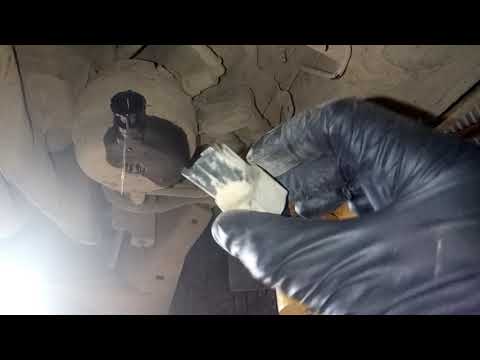
Briefly, we will see the main instructions for dismantling and replacing the diesel filter of the Peugeot 3008 1.5 BlueHDI. First, locate the diesel filter under the vehicle, so it will be necessary to lift it; then disconnect the electrical connector and the fuel lines from the filter, unscrewing the side screws to remove the cartridge, as shown in the video. At this point, replace the diesel filter with the new one, as well as with the original one; then reconnect the pipes and the electrical connector, following the video tutorial to the end! by ScegliAuto More videos
|

|
For advertising on this site Write to info@scegliauto.com
ScegliAuto is not responsible for any inaccuracy of the data in the lists. To report any inaccuracy or your business (if you own the business in question), please write to info@scegliauto.com
Number of seconds to generate the page: 0.309
(c) ScegliAuto 2026 - info@scegliauto.com - Privacy policy VAT number: IT01247470535 |
