
|
Do it yourself
| |||
| ||||


How to find the remaining mileage until maintenance on Renault Clio V
Model: Renault Clio
- Years:
2019, 2020, 2021, 2022, 2023, 2024, 2025, 2026
Video tutorial
To find out the mileage and time remaining until the next maintenance on a Renault Clio V, the procedure is simple. First, press the Start/Stop button once without pressing the clutch or brake: this will only turn on the instrument panel (equivalent to turning the key once on models with a traditional key). Then, using the arrow buttons on the steering wheel (or on the right stalk), scroll through the various menu options on the dashboard. Scroll until you reach the maintenance screen: the display shows the remaining mileage and the time left before the next service. For example, the video shows "19,100 miles or 11 months" before the oil change. The values depend on when the last service was performed and how many miles have been driven.
Posted on 13 October 2026 by ScegliAuto
Related tutorials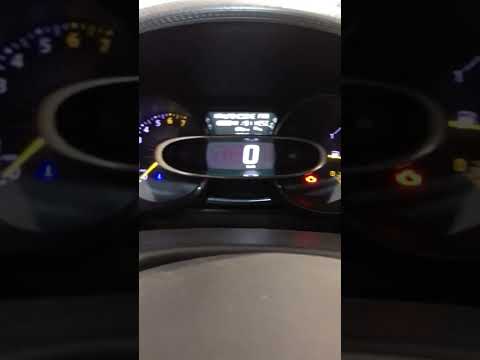
Renault Clio
(2012-2019 /
Clio 4, MK 4, Clio IV)
In today's video, you will see how to reset the service interval on a Renault Clio, thereby turning off the corresponding light. This tutorial also a…

Renault Clio
(2019-2026 /
Clio 5, Clio V)
In this tutorial, you will see how to reset the service light in the Renault Clio, a very simple and quick operation that should only be performed af…

Renault Clio
(2019-2026 /
Clio 5, Clio V)
In this tutorial, you can see how to reset the service on a Renault Clio, a very simple and quick operation, to be performed only after completing al…
Other guides you may be interested in
|
Frequently Asked QuestionsHow to Set the Date and Time on the Iveco Daily
Today, we will see in this video tutorial how to change the date and time on the Iveco Daily. First, get into the vehicle and turn on the instrument panel; then go to the vehicle settings on the central display, pressing the relevant option for date and time. At this point, press the "set" button located at the top, using the physical arrow buttons to set both the date and time; finally, exit the onboard computer menu to save the changes made! by ScegliAuto More videos
|
|
For advertising on this site Write to info@scegliauto.com
ScegliAuto is not responsible for any inaccuracy of the data in the lists. To report any inaccuracy or your business (if you own the business in question), please write to info@scegliauto.com
Number of seconds to generate the page: 0.097
(c) ScegliAuto 2026 - info@scegliauto.com - Privacy policy VAT number: IT01247470535 |
