
|
Do it yourself
| |||
| ||||


Reset the maintenance interval of the Renault Scenic.
Model: Renault Scenic
Scenic 2, MK 2
- Years 2003-2009
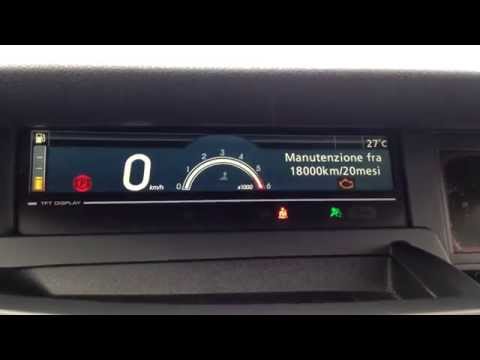
Today we will discover the instructions that will allow us to reset the maintenance reminder for the oil change of the Renault Scenic. First, we get into the car and start the instrument panel; then we press the up arrow button on the right lever until we reach the maintenance option, as shown in the video. At this point, we hold down the button to confirm and reset the maintenance key and the kilometers remaining before the next service, finally exiting the settings menu.
Posted on 24 March 2025 by ScegliAuto
Video tutorial
Related tutorials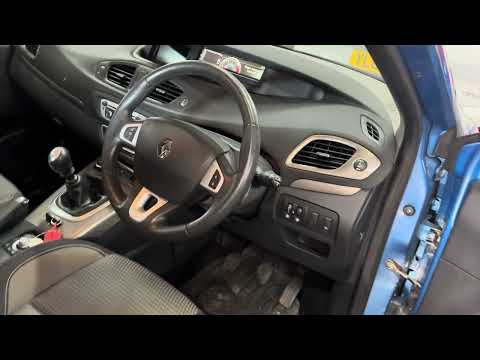
Renault Scenic
(2009-2015 /
MK III, Scenic III, Scenic 3, MK 3)
If you want to quickly locate the OBD port of your Renault Scenic Mk3, all you have to do is carefully follow the instructions described in this new …
Renault Scenic
(2009-2015 /
MK III, Scenic III, Scenic 3, MK 3)
Before we can start, we will have to check that the service has been carried out, and then sit in the driver's seat of our Renault Scenic. Let's star…

Renault Scenic
(2009-2015 /
MK III, Scenic III, Scenic 3, MK 3)
The instructions in this guide will show us how to reset the partial odometer of the Renault Scenic. First, we get on board the car and start the ins…
Other guides you may be interested in
|
How to Remove the Window Regulator Motor from a Volkswagen Touareg
Learn how to remove the door motor from a Volkswagen Touareg. Before starting the disassembly, disconnect the battery terminals located in the engine bay. Use a lever or screwdriver to remove the handle cover, then unscrew the screws inside with the screwdriver. Unscrew the remaining screws on the door panel and detach the retaining clips. Remove the door panel by hand, then use a screwdriver or power screwdriver to unscrew the fastening screws of the door actuator motor. Disconnect the various power terminals and replace it with a new one. Reassemble everything in reverse order. by ScegliAuto More videos
|
|
For advertising on this site Write to info@scegliauto.com
ScegliAuto is not responsible for any inaccuracy of the data in the lists. To report any inaccuracy or your business (if you own the business in question), please write to info@scegliauto.com
Number of seconds to generate the page: 0.138
(c) ScegliAuto 2026 - info@scegliauto.com - Privacy policy VAT number: IT01247470535 |
