
|
Do it yourself
| |||
| ||||


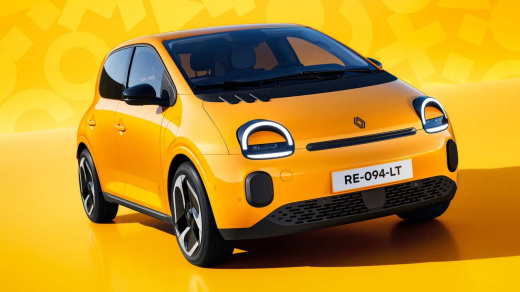
How to Set the Clock in a Renault Twingo 4
Model: Renault Twingo
Twingo 4, Twingo III, E-Tech
- Years:
2026
Video tutorial
The Renault Twingo 4 is essentially the latest edition of the model in question, and we will now understand how to update the clock after, for example, disconnecting the 12-volt battery that powers it, or simply if there has been a change in time zone, etc. Manually, press the Vehicle option on the touchscreen, then Settings, and finally Date and Time; if the car is equipped with R-Link technology, everything will happen automatically via GPS signal, as when transitioning from daylight saving time to standard time, you will notice the clock updated directly.
Posted on 26 April 2026 by ScegliAuto
Related tutorials
Renault Twingo
(1993-2007 /
Twingo 1)
Today we will see the instructions that will allow us to set the clock on the instrument panel display of the Renault Twingo, for example after a bat…

Renault Twingo
(2014-2024 /
Twingo III, Twingo 3)
To adjust the clock on the Renault Twingo, you need to switch on the instrument panel by inserting the ignition key into the corresponding slot: once…
Renault Twingo
(2007-2014 /
Twingo 2)
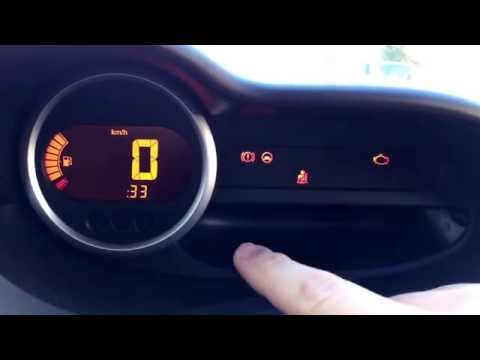
To set the clock on the Renault Twingo, switch on the instrument cluster so you can navigate through the onboard computer menu by pressing the button…
Other guides you may be interested in
|
Where are the fuses located on the Renault Laguna?
On the Renault Laguna, the fuses are located inside the fuse boxes installed in the vehicle: in this car model, you will find two boxes for containing the fuses. The first is in the fuse box on the left side of the dashboard, accessible by opening the driver's door: here you will find the fuses for the windscreen wipers, fog lights, horn, etc. The second box is located on the right side of the engine compartment: here you will find the fuses for the dipped headlights, radiator fan, alternator, etc. by ScegliAuto More videos
|
|
For advertising on this site Write to info@scegliauto.com
ScegliAuto is not responsible for any inaccuracy of the data in the lists. To report any inaccuracy or your business (if you own the business in question), please write to info@scegliauto.com
Number of seconds to generate the page: 0.105
(c) ScegliAuto 2026 - info@scegliauto.com - Privacy policy VAT number: IT01247470535 |
