
|
Do it yourself
| |||
| ||||


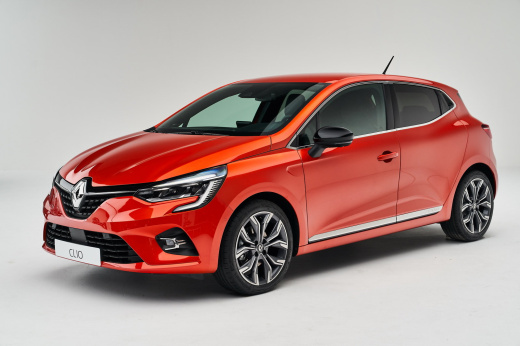
How to activate the speed warning and road sign recognition on the Renault Clio V?
Model: Renault Clio
Clio V, Clio 5
- Years:
2019, 2020, 2021, 2022, 2023, 2024, 2025, 2026
Video tutorial
Let's see how to manage the excessive speed warning and road sign recognition on a Renault Clio V: this function is active by default at every start and can be controlled via the EasyLink system by pressing "menu" then "settings", select "vehicle", choose "driving" and then "road sign recognition". From here, you can activate and deactivate the main functions, an audible warning, and the option "display risk" which alerts you when approaching a dangerous area. The detected speed limit is displayed, and if you exceed it, the white circle flashes and an audible signal is emitted. Use the +/– buttons to adjust the speed, set to the limit detected by the camera; this must always be kept clean. Remember that this is an aid, not a substitute: the driver must always remain vigilant.
Posted on 28 April 2026 by ScegliAuto
Related tutorials
Renault Clio
(2019-2026 /
Clio V, Clio 5)
To activate cruise control on a Renault Clio 5, start the engine and use the dedicated switch located on the steering wheel to select the 'Cruise' mo…

Renault Clio
(2012-2019 /
Clio IV, Clio 4, MK 4)
Today we will explain how to operate the windshield wipers of the Renault Clio MK4 model produced from 2012 to 2019. To operate the windshield wipers…

Renault Clio
(2012-2019 /
Clio IV, Clio 4, MK 4)
Activating or deactivating the parking assistant on the Renault Clio 4 car is a simple and quick operation as it requires the use of two steps. The f…
Other guides you may be interested in |
Frequently Asked QuestionsHow to Reset the AdBlue Warning Light on a Peugeot Boxer
To reset the AdBlue system on a 2018 Peugeot Boxer, follow these steps: Start the engine and ensure the vehicle is parked in a well-ventilated area. Locate the "MENU" button on the dashboard or steering wheel controls. Press and hold the "MENU" button until the menu options appear on the display. Use the arrow buttons or scroll wheel to access the "Vehicle Settings" or "Settings" menu. Select the "AdBlue" or "AdBlue System" option. Look for the "Recharge" or "Reset" option in the AdBlue menu. Once you find the reset option, select it and confirm your choice when prompted. The system will be reset, and a confirmation message may appear on the display. Turn off the engine and wait a few seconds. Restart the engine and check that the AdBlue system has been reset. by ScegliAuto More videos
|
|
For advertising on this site Write to info@scegliauto.com
ScegliAuto is not responsible for any inaccuracy of the data in the lists. To report any inaccuracy or your business (if you own the business in question), please write to info@scegliauto.com
Number of seconds to generate the page: 0.012
(c) ScegliAuto 2026 - info@scegliauto.com - Privacy policy VAT number: IT01247470535 |
