
|
Do it yourself
| |||
| ||||


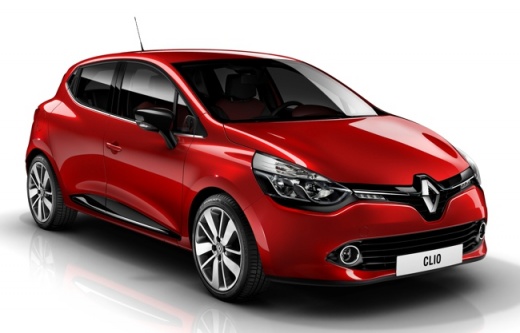
How to Reset the Multimedia System on a Renault Clio IV
Model: Renault Clio
Clio IV, Clio 4, MK 4
- Years:
2012, 2013, 2014, 2015, 2016, 2017, 2018, 2019
Video tutorial
Let's see how to reset the infotainment system on the Renault Clio IV (and most Renault vehicles). The soft reset, which does not result in data loss, is useful for a frozen screen, Bluetooth connection issues, and unresponsive apps; turn on the ignition and press and hold the physical power button for about 10 seconds. In 20 to 30 seconds, the system will automatically restart without deleting personal settings. If the problem persists, proceed to a hard reset, which will erase all personal settings. Press the "settings" button and then "vehicle information". Select "system" and then "factory reset". A confirmation window will appear where you will select "yes". This will completely reset the system, and you will need to re-pair your phone and reconfigure all personal settings.
Posted on 5 July 2026 by ScegliAuto
Related tutorials
Renault Clio
(2019-2026 /
Clio V, Clio 5)
These brief and simple steps will show you how to reset the multimedia system by performing a forced shutdown on the Renault Clio, as well as the Cap…

Renault Clio
(2012-2019 /
Clio IV, Clio 4, MK 4)
Today's guide will show you how to operate and use the Medianav multimedia system in the Renault Clio, as well as in the Captur. First, get into the …

Renault Clio
(2012-2019 /
Clio IV, Clio 4, MK 4)
Today we are following the instructions that will allow us to reset the multimedia system and radio of the Renault Clio, as well as on other vehicles…
Other guides you may be interested in |
Frequently Asked QuestionsHow to Reset the AdBlue Warning Light on a Peugeot Boxer
To reset the AdBlue system on a 2018 Peugeot Boxer, follow these steps: Start the engine and ensure the vehicle is parked in a well-ventilated area. Locate the "MENU" button on the dashboard or steering wheel controls. Press and hold the "MENU" button until the menu options appear on the display. Use the arrow buttons or scroll wheel to access the "Vehicle Settings" or "Settings" menu. Select the "AdBlue" or "AdBlue System" option. Look for the "Recharge" or "Reset" option in the AdBlue menu. Once you find the reset option, select it and confirm your choice when prompted. The system will be reset, and a confirmation message may appear on the display. Turn off the engine and wait a few seconds. Restart the engine and check that the AdBlue system has been reset. by ScegliAuto More videos
|
|
For advertising on this site Write to info@scegliauto.com
ScegliAuto is not responsible for any inaccuracy of the data in the lists. To report any inaccuracy or your business (if you own the business in question), please write to info@scegliauto.com
Number of seconds to generate the page: 0.009
(c) ScegliAuto 2026 - info@scegliauto.com - Privacy policy VAT number: IT01247470535 |
