
|
Do it yourself
| |||
| ||||


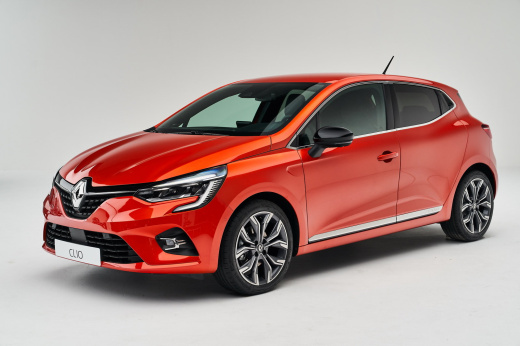
How to Reset the Service Light in a Renault Clio?
Model: Renault Clio
Clio 5, Clio V
- Years:
2019, 2020, 2021, 2022, 2023, 2024, 2025, 2026
Video tutorial
In this tutorial, you will see how to reset the service light in a Renault Clio, a very simple and quick operation to be performed only after completing all scheduled maintenance work. First, enter the cabin, then insert the key and turn on the instrument panel. Next, navigate to the vehicle information menu using the appropriate button on the steering wheel, select the service screen, and perform the reset by holding down the "OK" button. To complete the procedure, simply restart the instrument panel.
Posted on 11 October 2026 by ScegliAuto
Related tutorials
Renault Clio
(2019-2026 /
Clio 5, Clio V)
In this tutorial we can see how to reset the service in the Renault Clio, an extremely simple and quick operation, to be carried out only once all th…

Renault Clio
(2019-2026 /
Clio 5, Clio V)
Let’s see how to reset the service light on a Renault Clio V: turn on the ignition without starting the engine and wait for the instrument test. Navi…

Renault Clio
(2005-2013 /
Clio 3, Clio III, MK 3)
In this tutorial, we will see how to reset the service indicator on the Renault Clio, a very simple and quick operation to perform only after complet…
ScegliAuto offers an extensive international collection of automotive tutorials available in 12 languages. Each guide combines instructional videos with original explanations written by experienced human editors, along with information about the car models covered.
Other guides you may be interested in
|
How to remove and repair the roof on a Fiat 500C
Follow these steps to remove and repair the roof on a Fiat 500C. Get into the car and use the dedicated button to open the roof. The roof is secured with screws along the side rails. Disconnect the electrical wiring before removing it, as shown in the video. Repair the roof and replace any damaged components. Position the roof on the car and refit it. Check that it operates and slides correctly. by ScegliAuto More videos
|
|
For advertising on this site Write to info@scegliauto.com
ScegliAuto is not responsible for any inaccuracy of the data in the lists. To report any inaccuracy or your business (if you own the business in question), please write to info@scegliauto.com
Number of seconds to generate the page: 0.074
(c) ScegliAuto 2026 - info@scegliauto.com - Privacy policy - About us VAT number: IT01247470535 |
