
|
Do it yourself
| |||
| ||||


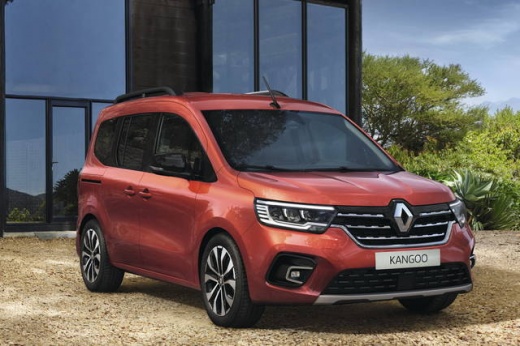
How to Reset the Maintenance Light on the Renault Kangoo 3?
Model: Renault Kangoo
MK 3, KFK, FFK
- Years:
2020, 2021, 2022, 2023, 2024, 2025, 2026
Video tutorial
Resetting the maintenance light on the Renault Kangoo third series is very simple, as shown in the video that demonstrates the entire procedure in under 60 seconds. Follow along and proceed in the same way. After settling into the driver's seat, turn on the instrument panel and use the arrow buttons on the steering wheel until you see the "oil change" message on the display. Now, simply press and hold the OK button, also located on the steering wheel, until the value displayed resets and the messages stop flashing.
Posted on 17 October 2026 by ScegliAuto
Related tutorials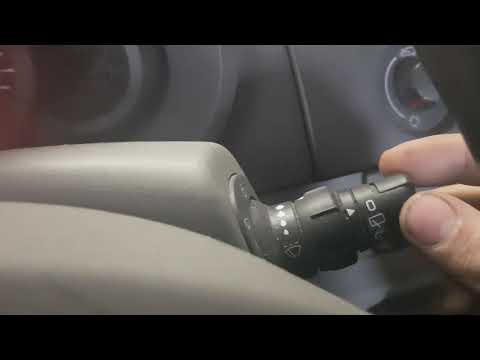
Renault Kangoo
(2007-2021 /
MK 2, FC, FW)
What to do if the service light appears on a Renault Kangoo? Here's how to reset the service light on the Kangoo. Turn on the instrument panel (you w…

Renault Kangoo
(2007-2021 /
MK 2, FC, FW)
Today, learn how to reset the oil change warning light on a Renault Kangoo. To reset the light, turn on the ignition while holding down the upper arr…

Renault Kangoo
(2007-2021 /
MK 2, FC, FW)
The Service light on the Renault Kangoo's instrument panel can be reset by inserting the ignition key into the corresponding slot and turning it to t…
Other guides you may be interested in
|
How to Reset the SOS System Error on the Audi A4
This guide provides information on how to restore the functionality of the SOS emergency call system on the Audi A4. The SOS system is now available on almost all models from the manufacturer; one of the most common issues is related to the malfunction of the SOS system, for which we will outline possible solutions. The issue can sometimes be resolved by resetting the MMI multimedia system by holding down the power button; otherwise, it will be necessary to perform a diagnostic check at the nearest service center. by ScegliAuto More videos
|
|
For advertising on this site Write to info@scegliauto.com
ScegliAuto is not responsible for any inaccuracy of the data in the lists. To report any inaccuracy or your business (if you own the business in question), please write to info@scegliauto.com
Number of seconds to generate the page: 0.032
(c) ScegliAuto 2026 - info@scegliauto.com - Privacy policy VAT number: IT01247470535 |
