
|
Do it yourself
| |||
| ||||


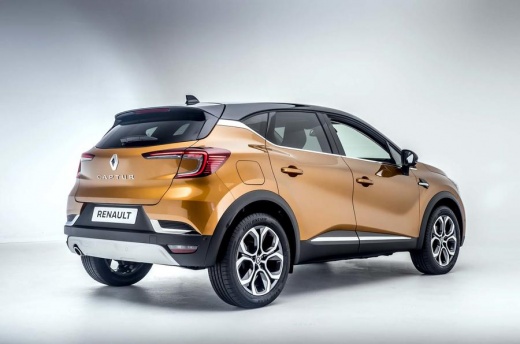
How to Reset the On-Board Computer in the Renault Captur?
Model: Renault Captur
MK 2
- Years:
2019, 2020, 2021, 2022, 2023, 2024, 2025, 2026
Video tutorial
In this tutorial, see how to reset the on-board computer in the Renault Captur, a very simple and quick operation, for example, as a troubleshooting attempt or after a change of ownership. First, enter the cabin, then turn on the instrument panel and access the general menu on the touchscreen display. Next, go to "Settings", "System", "Reset options", select "Restore factory settings" and confirm your choice. At this point, just wait for the system to restart and check that the issues are resolved.
Posted on 22 October 2026 by ScegliAuto
Related tutorials
Renault Captur
(2013-2019 /
MK 1)
In order to reset the onboard computer of the Renault Captur, you will first need to turn on the instrument panel so that you can navigate through th…

Renault Captur
(2019-2026 /
MK 2)
.. In this tutorial, you will learn how to reset the onboard computer in the Renault Captur, a very simple and quick operation that can be.. …

Renault Captur
(2019-2026 /
MK 2)
In this video, we will see how the tyre pressure monitoring system works in the Renault Captur. The system constantly monitors the pressure of the ty…
Other guides you may be interested in |
Frequently Asked QuestionsHow to Check and Reset the TPMS on the Hyundai Kona
These brief and simple steps will show you how to check the tyre pressure and reset the TPMS warning on the Hyundai Kona. First, get in the vehicle and turn on the ignition; then go to the settings on the onboard computer and scroll through the options until you reach the tyre pressure monitor, as shown in the video. At this point, reset the pressures indicated by the monitor to the recommended levels; once the TPMS detects the new pressures, it will automatically clear the warnings. by ScegliAuto More videos
|
|
For advertising on this site Write to info@scegliauto.com
ScegliAuto is not responsible for any inaccuracy of the data in the lists. To report any inaccuracy or your business (if you own the business in question), please write to info@scegliauto.com
Number of seconds to generate the page: 0.007
(c) ScegliAuto 2026 - info@scegliauto.com - Privacy policy VAT number: IT01247470535 |
