
|
Do it yourself
| |||
| ||||


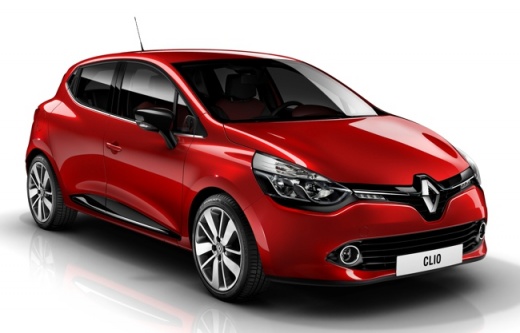
How to Disable Traction Control and Anti-Skid on a Renault Clio
Model: Renault Clio
Clio 4, MK 4, Clio IV
- Years:
2012, 2013, 2014, 2015, 2016, 2017, 2018, 2019
Video tutorial
In the new version of the Clio, Renault has removed the button for disabling the controls for safety reasons, so to disable them, you will need to access the control unit directly. Start by opening the front bonnet. This will allow you to notice a cover at the bottom of the engine bay secured by two plastic caps, which you will remove, allowing you to take off the cover itself. Under the cover, there will be a connector secured by a plastic lever, which you will open, and the connector will disconnect automatically. Once the connector is disconnected, you will have successfully disabled the controls.
Updated on 30 April 2026 by ScegliAuto
Related tutorials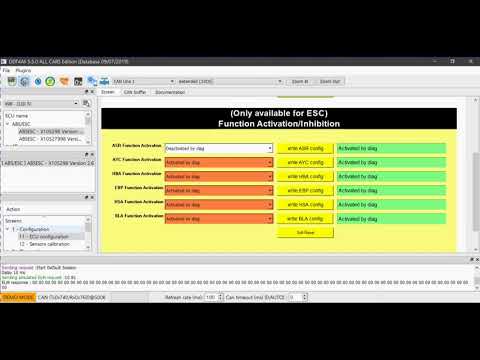
Renault Clio
(2012-2019 /
Clio 4, MK 4, Clio IV)
To disable the traction control on the Renault Clio, connect the diagnostic tool to the OBD port of the vehicle, located below the steering column. O…

Renault Clio
(2012-2019 /
Clio 4, MK 4, Clio IV)
Today's guide shows you how to disable the active traction control warning light on the Renault Clio, as well as the Captur, by following the instruc…

Renault Clio
(2012-2019 /
Clio 4, MK 4, Clio IV)
To disable the traction control on the Renault Clio, open the fuse box located inside the cabin, at the lower left of the dashboard relative to the s…
Other guides you may be interested in
|
Frequently Asked QuestionsHow to Open the Bonnet of the Mitsubishi L 200
In this brief and simple guide, follow these quick steps to open the bonnet of the Mitsubishi L 200. First, open the front door on the driver's side and pull the release lever for the bonnet lock. Next, move to the front of the vehicle and disengage the lock lever to open it. The bonnet will be held up by hydraulic struts; to close it, push the bonnet down and apply pressure to secure it properly! by ScegliAuto More videos
|
|
For advertising on this site Write to info@scegliauto.com
ScegliAuto is not responsible for any inaccuracy of the data in the lists. To report any inaccuracy or your business (if you own the business in question), please write to info@scegliauto.com
Number of seconds to generate the page: 0.029
(c) ScegliAuto 2026 - info@scegliauto.com - Privacy policy VAT number: IT01247470535 |
