
|
Do it yourself
| |||
| ||||


How to Reset the Media Nav System of the Renault
Model: Renault Renault Various
Video tutorial
The Media Nav system produced by Renault offers various important and useful features while driving. However, sometimes software issues may arise that can cause serious malfunctions in the entire system. In this case, it is necessary to manually restore the factory settings. First, turn on the car's ignition and start the Media Nav. Go to the system settings and click on the "Factory settings" option. Tick the "All" box and press "OK". Confirm the operation when prompted, and shortly after, the procedure is complete.
Updated on 11 May 2026 by ScegliAuto
Related tutorials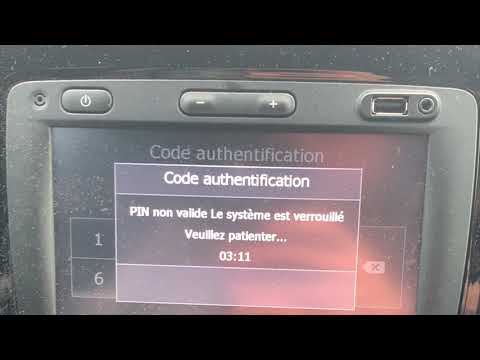
Renault Renault Various
In this tutorial, see how to retrieve the unlock code for the Media Nav system of a Renault, a code that must be entered after replacing the battery.…

Renault Renault Various
In this tutorial, you will see how to retrieve the unlock code for the Media Nav multimedia system in a Renault, which is needed after replacing the …

Renault Renault Various
The R-link software used by Renault is designed to manage the navigation system. Map consultation, setting the preferred destination, etc., depend so…
Other guides you may be interested in |
How to Activate the Disabled TRC on the Toyota Yaris?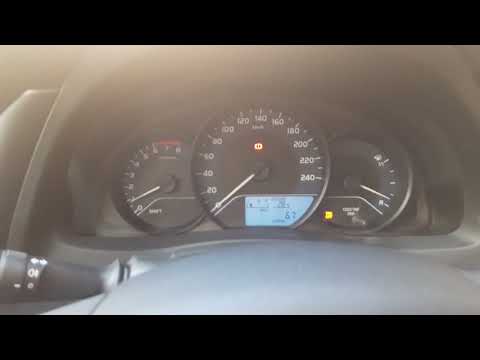
As the video clearly shows, disabling or activating the traction control (TRC or ESP) on the Toyota Yaris is very simple. By default, the traction system activates every time the vehicle is started. To disable it, simply press the button depicting a skidding car located in the centre of the vehicle where the controls are, such as the hazard lights and the radio, but near the handbrake. Once disabled, the TRC off light will illuminate on the dashboard. To reactivate it, just press the same button again. by ScegliAuto More videos
|
For advertising on this site Write to info@scegliauto.com
ScegliAuto is not responsible for any inaccuracy of the data in the lists. To report any inaccuracy or your business (if you own the business in question), please write to info@scegliauto.com
Number of seconds to generate the page: 0.027
(c) ScegliAuto 2026 - info@scegliauto.com - Privacy policy VAT number: IT01247470535 |
