
|
Do it yourself
| |||
| ||||


How do you replace the cabin fan of the Renault Twingo?
Model: Renault Twingo
Twingo 2
- Years 2007-2014
In order to replace the cabin fan of the Renault Twingo, you need to remove the protective panel located on the upper part of the dashboard, on the passenger side. Once this cover is removed, you can locate the cabin fan inside, on the left side. The fan can be removed from its housing by loosening the fixing screws and disconnecting the power cables. Once the cables are disconnected and the screws are loosened, the old fan can be completely removed, and the new one can be inserted and tested to ensure everything is working properly.
Posted on 16 June 2023 by ScegliAuto
Video tutorial
Related tutorials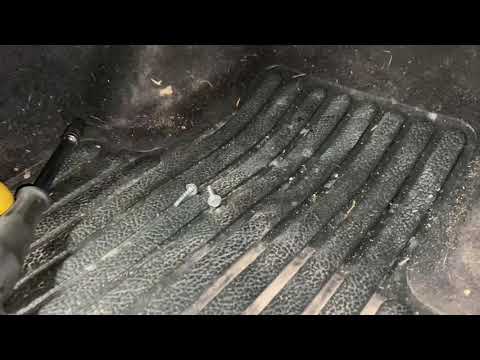
Renault Twingo
(2007-2014 /
Twingo 2)
Let's find out today the main steps that will allow us to disassemble and replace the passenger compartment fan on your Renault Twingo. First we get …

Renault Twingo
(1993-2007 /
Twingo 1)
The replacement of the cabin fan on the Renault Twingo is done by disconnecting the protective panel located on the top of the dashboard, also removi…

Renault Twingo
(2007-2014 /
Twingo 2)
Below we will see the instructions that will allow us to disassemble and replace the cabin fan of the Renault Twingo. First of all, we get on board t…
Other guides you may be interested in
|
How to Replace the Front Headlight Bulbs on an Opel Mokka
Let’s see how to replace the front headlight bulbs on an Opel Mokka. Open the bonnet by pulling the lever located at the bottom right of the dashboard, and secure it with the prop rod. Locate the rubber inspection cap on the back of the headlight and remove it. Disconnect the bulb holder from the headlight and extract the damaged bulbs with the help of a screwdriver. Install the new bulbs (always ensure they are the correct type and size) and insert the bulb holder back into the headlight housing. Reassemble all previously removed parts (headlight cover cap). by ScegliAuto More videos
|
|
For advertising on this site Write to info@scegliauto.com
ScegliAuto is not responsible for any inaccuracy of the data in the lists. To report any inaccuracy or your business (if you own the business in question), please write to info@scegliauto.com
Number of seconds to generate the page: 0.050
(c) ScegliAuto 2026 - info@scegliauto.com - Privacy policy VAT number: IT01247470535 |
