
|
Do it yourself
| |||
| ||||


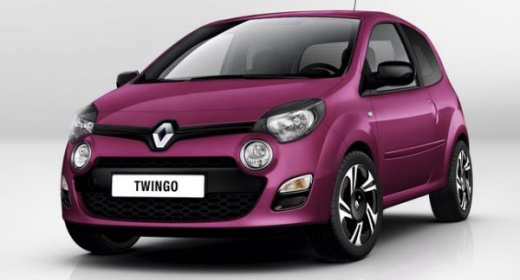
Where is the OBD2 port located in the Renault Twingo 2?
Model: Renault Twingo
Twingo 2
- Years:
2007, 2008, 2009, 2010, 2011, 2012, 2013, 2014
Video tutorial
To be able to find the OBD2 port of your Renault Twingo second series in a few seconds, you just need to follow the steps described in our new guide. First of all, make sure the car is turned off and parked on a flat road for safety reasons, then move to the passenger side and open the glove compartment. At this point, locate the OBD2 port you were looking for and you're done. In case of problems with the engine control unit errors, you can identify them using a specific diagnostic tool that needs to be connected to the OBD2 port with a cable.
Posted on 9 December 2024 by ScegliAuto
Related tutorials
Renault Twingo
(1993-2007 /
Twingo 1)
In this new guide, we will explain to you where the OBD2 port is located inside your first series Renault Twingo. First of all, you need to reach the…

Renault Twingo
(2007-2014 /
Twingo 2)
Locating the OBD port on your Renault Twingo Mk2 (2007-2014) is very simple, and with the instructions in this guide, you will have no difficulty. Fi…

Renault Twingo
(2014-2024 /
Twingo III, Twingo 3)
If you don't know where the OBD port is located on your Renault Twingo third series, don't worry as this guide provides all the steps you need to qui…
Other guides you may be interested in
|
How to Activate the Disabled TRC on the Toyota Yaris?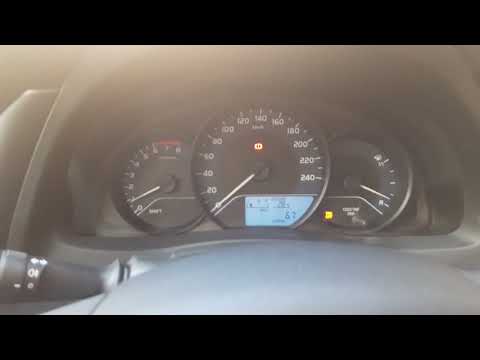
As the video clearly shows, disabling or activating the traction control (TRC or ESP) on the Toyota Yaris is very simple. By default, the traction system activates every time the vehicle is started. To disable it, simply press the button depicting a skidding car located in the centre of the vehicle where the controls are, such as the hazard lights and the radio, but near the handbrake. Once disabled, the TRC off light will illuminate on the dashboard. To reactivate it, just press the same button again. by ScegliAuto More videos
|
|
For advertising on this site Write to info@scegliauto.com
ScegliAuto is not responsible for any inaccuracy of the data in the lists. To report any inaccuracy or your business (if you own the business in question), please write to info@scegliauto.com
Number of seconds to generate the page: 0.078
(c) ScegliAuto 2026 - info@scegliauto.com - Privacy policy VAT number: IT01247470535 |
