
|
Do it yourself
| |||
| ||||


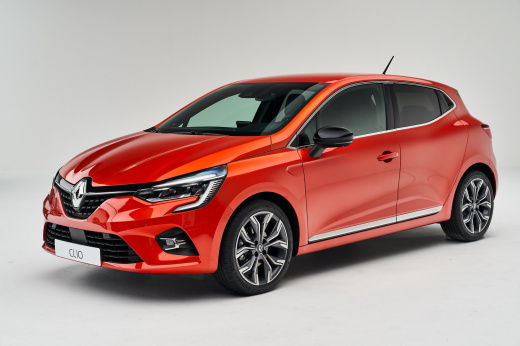
How to Update Maps on the Renault Clio V
Model: Renault Clio
Clio V, Clio 5
- Years:
2019, 2020, 2021, 2022, 2023, 2024, 2025, 2026
Video tutorial
In this video, see how to update the maps on the Renault Clio V using the Easy Link system from the multimedia screen. From the main screen, press the "car info" button. In the new window, select the "system" option at the bottom, where you will find five options. Click on the desired option: The "update status" menu shows the progress of updates. "Software update" displays the firmware data. By clicking on "map update", you can perform map updates, where all countries are loaded, and the preferred country is marked with a flag. The menu allows you to start a full update. By clicking on "factory reset", you will return to factory settings, and in this case, all personal settings will be lost.
Updated on 21 August 2026 by ScegliAuto
Related tutorials
Renault Clio
(2012-2019 /
Clio IV, Clio 4, MK 4)
To update the navigation maps on a Renault Clio IV, you need to download the updated map (usually from the official Renault website or the dedicated …
Renault Clio
(2012-2019 /
Clio IV, Clio 4, MK 4)
In this video, see how to update the maps of the Renault Clio IV: you will need to have it installed on an external memory that can be connected to t…

Renault Clio
(2012-2019 /
Clio IV, Clio 4, MK 4)
These short and simple instructions will show us how to update the Media Nav multimedia system and the navigator of the Renault Clio, as well as the …
Other guides you may be interested in |
Frequently Asked QuestionsHow to Set the Time in an Audi A4?
In this tutorial, you will see how to set the time in an Audi A4, a very simple and quick operation to perform after replacing the battery or when the time changes. First, insert the key and turn on the instrument cluster. Then, press the "SETUP" button located on the center console. Next, press the upper left arrow button, navigate to the "Time" option, and use the central knob to adjust the clock. Finally, set any necessary formats and save by returning to the main screen. by ScegliAuto More videos
|
|
For advertising on this site Write to info@scegliauto.com
ScegliAuto is not responsible for any inaccuracy of the data in the lists. To report any inaccuracy or your business (if you own the business in question), please write to info@scegliauto.com
Number of seconds to generate the page: 0.017
(c) ScegliAuto 2026 - info@scegliauto.com - Privacy policy VAT number: IT01247470535 |
