
|
Do it yourself
| |||
| ||||


How to Reset the Service Indicator on the Renault Captur
Model: Renault Captur
MK 1
- Years 2013-2019
The indicator on the dashboard will no longer be a problem by following this brief guide, which will show you how to remove it without needing the help of an auto electrician and their dedicated tools. As you will see, you just need to press a few buttons to do it yourself. First, repeatedly press the button on the right-hand side lever until "SERVICE INTERVALS" appears. Now, hold down the same button for 5 seconds until "SERVICE REQUIRED" appears. Finally, press the button for 10 seconds until the message disappears.
Updated on 24 February 2026 by ScegliAuto
Video tutorial
Related tutorials
Renault Captur
(2019-2026 /
MK 2)
It will be possible to reset the Service indicator shown on the instrument panel of the Renault Captur by inserting the ignition key into the corresp…

Renault Captur
(2013-2019 /
MK 1)
The Service indicator that is shown on the instrument panel of the Renault Captur can be reset by turning on the panel, after inserting the ignition …

Renault Captur
(2013-2019 /
MK 1)
.. In this tutorial, we can see how to reset the service indicator on the Renault Captur, a very simple and quick operation to be performed.. …
Other guides you may be interested in
|
Frequently Asked QuestionsHow to Remove the Factory Radio on a Mercedes A-Class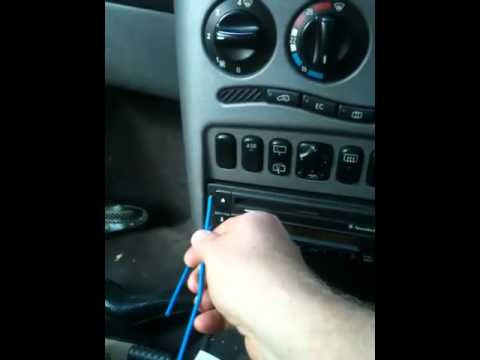
How do you remove the factory radio on a Mercedes A-Class? Let's carefully go through the disassembly process. Use the original or aftermarket metal keys to remove the car stereo: Insert the keys into the holes on the plastic trim of the stereo, pull the stereo towards you as shown in the video, and carefully extract the radio while being mindful of the various wiring (disconnect the power connectors and the antenna cable). Finally, reinstall the original radio or a generic brand with the appropriate adapter for the input and connector. by ScegliAuto More videos
|

|
For advertising on this site Write to info@scegliauto.com
ScegliAuto is not responsible for any inaccuracy of the data in the lists. To report any inaccuracy or your business (if you own the business in question), please write to info@scegliauto.com
Number of seconds to generate the page: 0.054
(c) ScegliAuto 2026 - info@scegliauto.com - Privacy policy VAT number: IT01247470535 |
