
|
Do it yourself
| |||
| ||||


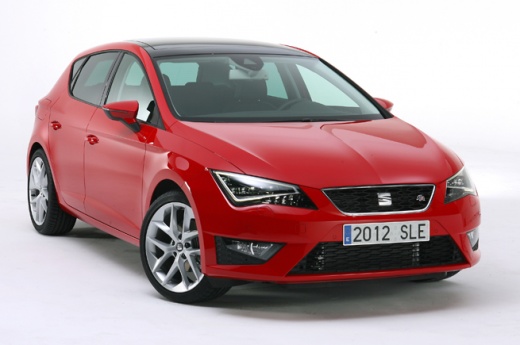
How do you remove the message "Component protection active" on the Seat Leon display?
Model: Seat Leon
MK 3, 5F
- Years 2012-2019
In order to deactivate the message "Component protection active" on the Seat Leon display, you need to connect a diagnostic tool to the vehicle's OBD port: in this type of vehicle, the port can be found in the area immediately below the steering column. Once the connection is made, you can select the specific car model and its corresponding version: this will allow you to remove the error that causes the message to appear on the radio screen. Finally, you can disconnect the scanner and verify that everything is working properly.
Posted on 13 March 2025 by ScegliAuto
Video tutorial
Related tutorials
Seat Leon
(2020-2026 /
KL1, KL8)
If any components in the cabin of your latest generation Seat Leon are experiencing serious operational issues and you need access to the relevant fu…

Seat Leon
(2012-2019 /
MK 3, 5F)
It will be possible to turn off the air conditioning of the Seat Leon by turning on the instrument panel: once it has been activated, you can use the…

Seat Leon
(2020-2026 /
KL1, KL8)
If you are experiencing issues with one or more electrical components of your Seat Leon Mk4 (2020-2023) and intend to work on the relevant fuses, sim…
Other guides you may be interested in
|
How to Connect the Cables to the Battery of the Citroen Xsara Picasso?
In this tutorial, you will see how to connect the cables to the battery of the Citroen Xsara Picasso, useful if you need to recharge it or perform an emergency start. First, ensure the key is not inserted, then open the bonnet and move to the front of the left headlamp. Next, locate the bolt just behind the filter box and connect the positive terminal clamp to it. Now you can connect the negative terminal to any point on the chassis, such as the indicated point. Once the operation is complete, ensure you disconnect the negative first and then the positive. by ScegliAuto More videos
|
|
For advertising on this site Write to info@scegliauto.com
ScegliAuto is not responsible for any inaccuracy of the data in the lists. To report any inaccuracy or your business (if you own the business in question), please write to info@scegliauto.com
Number of seconds to generate the page: 0.089
(c) ScegliAuto 2026 - info@scegliauto.com - Privacy policy VAT number: IT01247470535 |
