
|
Do it yourself
| |||
| ||||


Skoda Skoda Various - Instrument clusterInstrument Cluster Skoda Skoda Various ( / ) Skoda Skoda Various How to Reset the Trip Meter on the Škoda Kodiaq? You can completely reset the trip meter on the Škoda Kodiaq by turning on the instrument cluster, allowing you to navigate the menu that appears on the …Read all… Posted on 8 October 2026 by ScegliAuto  Skoda Skoda Various How to set the time on the Skoda Laura In this new mini guide we will discover how to manually set the time displayed on the central display of the instrument panel of your Skoda Laura. First of …Read all… Posted on 13 April 2025 by ScegliAuto 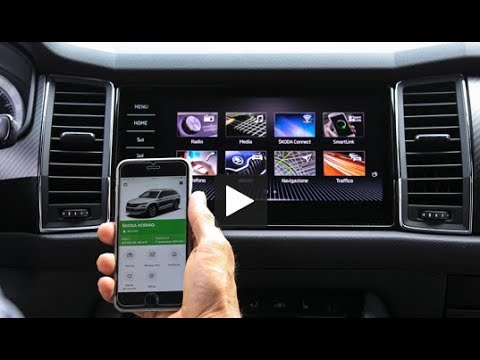 Skoda Skoda Various How the Skoda Connect multimedia system works This video details how the Skoda Connect infotainment system works: you can schedule appointments for your car's servicing and vehicle status reports, or …Read all… Posted on 29 September 2026 by ScegliAuto Airbag (1) Car stereo (1) Key (9) Timing belt (1) Air conditioner (1) Onboard computer (3) Checks and maintenance (2) Clock (2) Door trim panel (1) Instrument cluster (3) Fuse box (7) Door lock (1) Warning light – error code (7) Tire pressure warning light (11) Service warning light (5) |
How to Use the Key of the Kia Sportage to Open the Car?
It is very unlikely, but if it happens, know that there is a way to solve the problem. If the remote battery dies, no worries, this video shows how to use the key to open the door for the Kia Sportage and many other vehicles. Remove the key from the remote, take off the cover of the lock cylinder mentioned above, and insert the key to open it, turning it anti-clockwise. Once done, carefully reattach the cover without scratching the bodywork, ensuring it is securely fastened. by ScegliAuto More videos
|
|
For advertising on this site Write to info@scegliauto.com
ScegliAuto is not responsible for any inaccuracy of the data in the lists. To report any inaccuracy or your business (if you own the business in question), please write to info@scegliauto.com
Number of seconds to generate the page: 0.005
(c) ScegliAuto 2026 - info@scegliauto.com - Privacy policy - About us VAT number: IT01247470535 |
