
|
Do it yourself
| |||
| ||||


How do you set the clock on the Smartwatch?
Model: Smart Smart
450
- Years 1998-2007
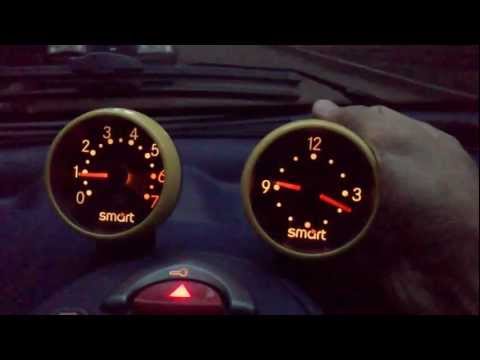
In order to adjust the clock of the Smart, you need to turn on the instrument panel by inserting the ignition key into the corresponding ignition block: once the panel is turned on, you can use the controls located behind the clock itself. Using these buttons, you can change both the hours and the minutes; once the clock adjustment is done, you can release the buttons. By turning off and on the panel, you can verify that the modification has been done correctly.
Posted on 7 September 2024 by ScegliAuto
Video tutorial
Related tutorials
Smart
(2014-2022 /
453)
It will be possible to adjust the clock of the Smart by turning on the instrument panel and then pressing the SETUP button located just below the rad…

Smart
(2007-2015 /
451)
The clock shown on the Smart's display must first be turned on by turning on the instrument panel, inserting the key into the ignition switch: once t…
Smart
(1998-2007 /
450)
Adjusting the time in the first Smart series, the 450, is a very simple operation. This derives from the fact that the car does not have a digital cl…
Other guides you may be interested in
|
How to Replace the Grille on BMW 3 Series
In this video, learn how to replace the grille located on the front bumper of a BMW 3 Series. Prepare to remove the plastic grille frame on both sides of the bumper using a plastic trim tool. Pry between the frame and the bumper until the clips on the inside release (remove the screws from the top of the bumper for better access). Once the clips are released, remove the grille from the bumper and install a new one. Reinstall the grille into the car's bumper by pressing it until it locks in place. Check the proper installation of the parts. by ScegliAuto More videos
|
|
For advertising on this site Write to info@scegliauto.com
ScegliAuto is not responsible for any inaccuracy of the data in the lists. To report any inaccuracy or your business (if you own the business in question), please write to info@scegliauto.com
Number of seconds to generate the page: 0.137
(c) ScegliAuto 2026 - info@scegliauto.com - Privacy policy VAT number: IT01247470535 |
