
|
Do it yourself
| |||
| ||||


Layout and positioning of the fuses in the Smart Fortwo.
Model: Smart Smart
450
- Years 1998-2007
The following steps will show us the layout and positioning of the fuses in the Smart Fortwo. First, we get on board the car, on the driver's side, and start by removing the plastic cover located under the dashboard, thus accessing the internal fuse box; on the table shown in the video we find the layout and diagram of all the fuses and relays of the car, as illustrated in the video. The fuse diagram is also present in the vehicle's owner's manual, where you can find all the codes and amperages of the fuses (useful for any replacements).
Posted on 16 December 2024 by ScegliAuto
Video tutorial
Related tutorials
Smart
(1998-2007 /
450)
Today's main instructions will show us how to locate the fuse box and how to find the diagram and chart of the Smart Fortwo. First, we open the front…

Smart
(2007-2015 /
451)
Today we will see the diagram and positioning of the fuse compartments of the Smart Fortwo, in simple and quick steps. First, we open the front door …

Smart
(2007-2015 /
451)
In this guide we will see the information related to the positioning and the fuse diagram of the Smart Fortwo. The fuse box is located on board the v…
Other guides you may be interested in
|
Frequently Asked QuestionsHow to Remove the Factory Radio on a Mercedes A-Class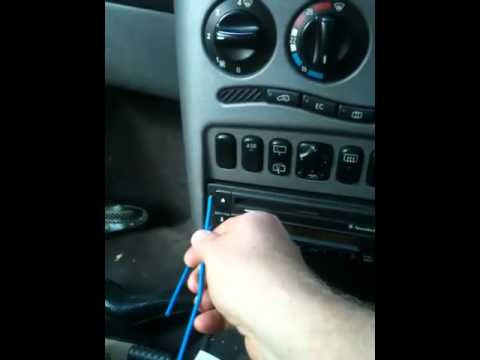
How do you remove the factory radio on a Mercedes A-Class? Let's carefully go through the disassembly process. Use the original or aftermarket metal keys to remove the car stereo: Insert the keys into the holes on the plastic trim of the stereo, pull the stereo towards you as shown in the video, and carefully extract the radio while being mindful of the various wiring (disconnect the power connectors and the antenna cable). Finally, reinstall the original radio or a generic brand with the appropriate adapter for the input and connector. by ScegliAuto More videos
|
|
For advertising on this site Write to info@scegliauto.com
ScegliAuto is not responsible for any inaccuracy of the data in the lists. To report any inaccuracy or your business (if you own the business in question), please write to info@scegliauto.com
Number of seconds to generate the page: 0.120
(c) ScegliAuto 2026 - info@scegliauto.com - Privacy policy VAT number: IT01247470535 |
