
|
Do it yourself
| |||
| ||||


How to reset the TPMS indicator on the Smart Fortwo
Model: Smart Smart
453
- Years 2014-2022
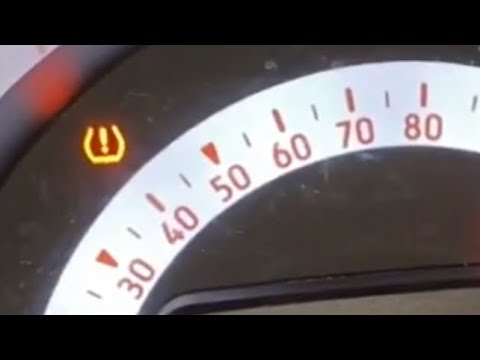
If you notice the continuous lighting of the alarm light relating to the TPMS sensors then you must necessarily perform a manual reset. Fortunately, this is a very simple and perfectly executable operation even in complete autonomy. Just follow the instructions in our new guide. First, turn on the car ignition and use the directional arrows located on the left side of the steering wheel to navigate the menu. Select the item "Messages and service". Scroll down and select "Tire pressure monitor". Confirm the operation shortly after you have finished the procedure.
Posted on 18 March 2022 by ScegliAuto
Video tutorial
Related tutorials
Smart
(2014-2022 /
453)
Briefly, we will see the instructions on how to reset the tire pressure warning light on the Smart Fortwo. Before resetting the TPMS sensors, it is n…
Smart
(2014-2022 /
453)
If the TPMS sensor has incorrect readings or if the relative warning light simply continues to light up despite having already inflated the tires to …

Smart
(2007-2015 /
451)
Today's information will allow us to reset the service indicator of the Smart Fortwo, in simple and quick steps. First, we get on board the car and s…
Other guides you may be interested in
|
How to Change the Engine Oil on a Toyota Prius
How do you change the engine oil on a Toyota Prius? It’s a simple operation if you follow the right steps. Lift the car on a column lift or jack, after removing the cover panel, use a socket wrench to unscrew the bolt from the oil sump, allowing the fluid to drain into a disposal container. Refit the bolt of the oil sump and the oil filter. Lower the car and lift the bonnet, securing it. Finally, top up with the new oil. Measure the oil level multiple times with the metal dipstick until you reach the ideal measurement. by ScegliAuto More videos
|

|
For advertising on this site Write to info@scegliauto.com
ScegliAuto is not responsible for any inaccuracy of the data in the lists. To report any inaccuracy or your business (if you own the business in question), please write to info@scegliauto.com
Number of seconds to generate the page: 0.077
(c) ScegliAuto 2026 - info@scegliauto.com - Privacy policy VAT number: IT01247470535 |
