
|
Do it yourself
| |||
| ||||


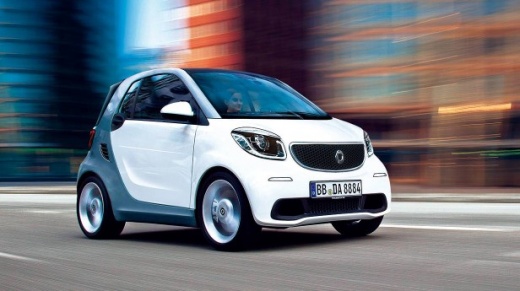
How to Set the Clock on the Smart Fortwo
Model: Smart Smart
453
- Years:
2014, 2015, 2016, 2017, 2018, 2019, 2020, 2021, 2022
Video tutorial
If you want to manually change the time on your Smart Fortwo but don't know how, don't worry as you just need to follow the instructions listed in this mini guide. First, turn on the ignition and click on Menu on your display. Next, click on System and then on Clock. Choose the Set time option and proceed to modify the hour, minute, and second digits. In the top right, you also have the option to enable automatic time adjustment based on your geographical area. Once finished, you can exit the menu and turn off the ignition.
Updated on 9 June 2026 by ScegliAuto
Related tutorials
Smart
(1998-2007 /
450)
Today we will discover the instructions that will allow us to set the time on the clock located on the dashboard of the Smart Fortwo, in simple and q…

Smart
(2007-2015 /
451)
Follow these simple instructions to set the clock in a Smart Fortwo 451. First, get inside the vehicle and turn the ignition key to the on position. …

Smart
(2014-2022 /
453)
Today, we will discover the instructions that will allow us to change the time on the central display of a Smart Fortwo in simple and quick steps. Fi…
Other guides you may be interested in |
How to open the bonnet of a Peugeot 308
To open the bonnet of a Peugeot 308, first enter the vehicle and pull the lever located on the left side of the driver's footwell, next to the door. You should hear a slight "click" indicating the bonnet has released. Then, move to the front of the vehicle. On the left side of the front edge, near the letter "p" in the Peugeot logo, you will find a ring that you need to pull towards you. This will open the bonnet, allowing you to lift it up and secure it with the safety prop. by ScegliAuto More videos
|
|
For advertising on this site Write to info@scegliauto.com
ScegliAuto is not responsible for any inaccuracy of the data in the lists. To report any inaccuracy or your business (if you own the business in question), please write to info@scegliauto.com
Number of seconds to generate the page: 0.053
(c) ScegliAuto 2026 - info@scegliauto.com - Privacy policy VAT number: IT01247470535 |
