
|
Do it yourself
| |||
| ||||


How to replace the oil and oil filter on a Smart Fortwo 450
Model: Smart Smart
450
- Years 1998-2007
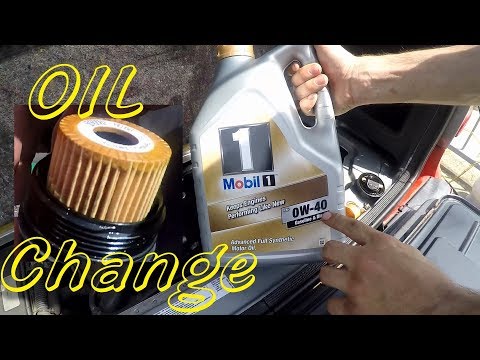
To replace the oil and oil filter on a Smart Fortwo, go to the back of the car (where the engine is), remove the boot floor, take off the engine cover, extract the dipstick and the oil filler cap; go underneath the car with a 13 mm socket (the video shows a modification to the oil sump with a bolt), unscrew the bolt, and let the oil drain into a container. Once the oil has drained, clean the bolt and its seating and screw it back in; after tightening the drain plug, unscrew the oil filter holder with a 27 mm socket and let the oil drain into a container; while the oil is draining, remove the filter from the holder, clean the holder, remove the old gasket, fit the new oil filter, place the new gasket, clean the filter seat, and screw it back in. Go to the engine, insert a funnel into the oil filler hole, pour in about 3 litres of oil, and when you are close to 3 litres, check the level with the dipstick (the level should be checked a second time after extracting the dipstick) and if the oil level has reached three-quarters (not full), the level is fine; otherwise, top it up to three-quarters. Finally, close the cap and replace the engine cover and the boot floor.
Updated on 12 July 2026 by ScegliAuto
Video tutorial
Related tutorials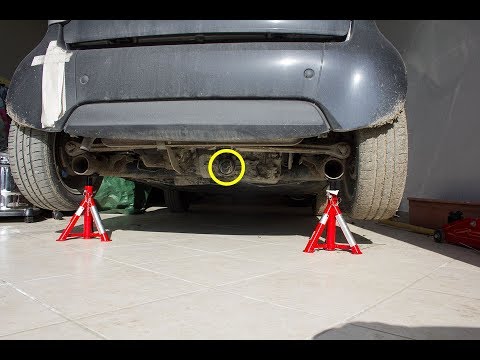
Smart
(1998-2007 /
450)
Discover how to replace the engine oil and oil filter of the Smart Fortwo 450 in this video, with simple steps. First, move to the rear of the vehicl…
Smart
(1998-2007 /
450)
How do you replace the engine oil filter on a Smart Fortwo? Open the car's tailgate and pull up the engine bay release lever. Lift the car on a jack …

Smart
(1998-2007 /
450)
In this guide we will see step by step instructions on how to perform the ordinary maintenance service, replacing the engine oil and oil filter, of t…
Other guides you may be interested in
|
Frequently Asked QuestionsHow to Replace the Remote Battery for the Volvo XC40?
In this tutorial, you will see how to replace the battery in the remote for the Volvo XC40, a very simple and quick operation. For this, you will need a replacement battery of type CR2032 and possibly a small flathead screwdriver. First, remove the front cover by pressing the button on the metal ring, then locate the second button, press it as well, and remove the opposite cover. Next, open the circular cap, take out the old battery, and insert the new one in the opposite direction. Finally, reassemble everything. by ScegliAuto More videos
|
|
For advertising on this site Write to info@scegliauto.com
ScegliAuto is not responsible for any inaccuracy of the data in the lists. To report any inaccuracy or your business (if you own the business in question), please write to info@scegliauto.com
Number of seconds to generate the page: 0.212
(c) ScegliAuto 2026 - info@scegliauto.com - Privacy policy VAT number: IT01247470535 |
