
|
Do it yourself
| |||
| ||||


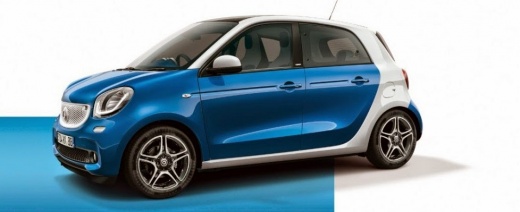
How do you reset the Service light on the Smart Forfour?
Model: Smart Forfour
W453, MK 2
- Years 2014-2021
To reset the Service light on the Smart Forfour, you need to turn on the instrument panel and then scroll through the menu on the instrument panel using the directional arrows on the left side of the steering wheel: you need to find the option that indicates the remaining kilometers until the next oil change. When this screen is displayed, you must hold down the OK button on the left side of the steering wheel: this will cause the Service light and maintenance interval to flash until they are completely reset.
Posted on 12 April 2023 by ScegliAuto
Video tutorial
Related tutorials
Smart Forfour
(2004-2006 /
W454, MK 1)
The Service light on the Smart Forfour can be completely reset by pressing and holding the button located at the top left of the instrument panel. Yo…

Smart Forfour
(2014-2021 /
W453, MK 2)
You can completely remove the Service light from the instrument panel of the Smart Forfour by turning on the instrument panel and then scrolling thro…

Smart Forfour
(2014-2021 /
W453, MK 2)
You can completely delete the Service light that is displayed on the instrument panel of the Smart Forfour by turning on the instrument panel and the…
Other guides you may be interested in
|
How to Replace the Front Headlights on the Opel Antara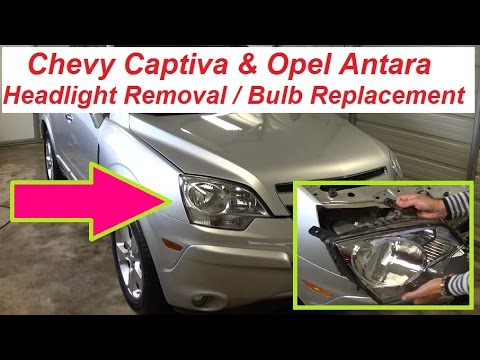
First, release the bonnet using the lever to lift it and secure it with the prop rod. Then, remove the clips from the top of the black panel above the bumper to lift it out. Proceed to remove the bolts securing each headlight. Lift the headlight by disconnecting the parts that hold it at the back. If you only need to replace the bulbs, remove the rear covers and replace the bulbs individually. To replace the entire headlight, simply disconnect the connector at the back. by ScegliAuto More videos
|
|
For advertising on this site Write to info@scegliauto.com
ScegliAuto is not responsible for any inaccuracy of the data in the lists. To report any inaccuracy or your business (if you own the business in question), please write to info@scegliauto.com
Number of seconds to generate the page: 0.064
(c) ScegliAuto 2026 - info@scegliauto.com - Privacy policy VAT number: IT01247470535 |
