
|
Do it yourself
| |||
| ||||


How to soft reset the Subaru Outback display?
Model: Subaru Outback
BT, MK 6
- Years 2020-2025
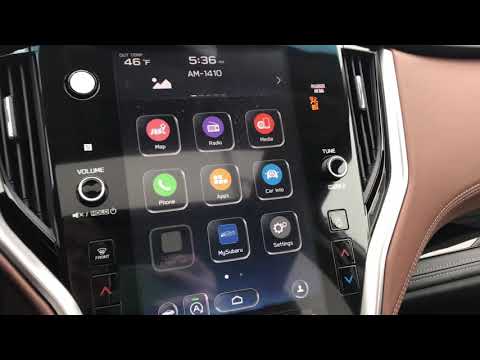
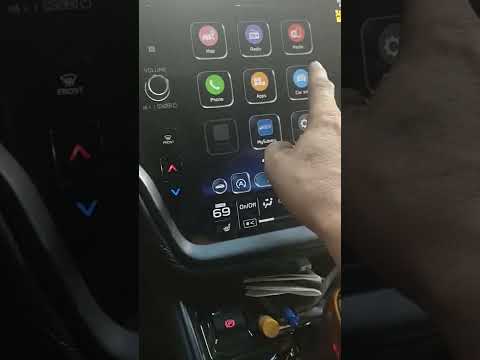
Through this video we can learn how to soft reset the display placed on the central dashboard of the Subaru Outback. The only thing to do is to locate the volume key and hold it down until the display turns off by itself. Now we just have to wait for the restart. When is this procedure implemented? Whenever the display has slight problems such as, for example, small anomalies in the operation of the touchscreen. Since this is only a forced reboot it does not solve the problems that would require a software update.
Posted on 9 August 2022 by ScegliAuto
Video tutorial
Related tutorials
…
Subaru Outback
(2020-2025 /
BT, MK 6)
In this video tutorial you can see how to reset the maintenance warning light of the Subaru Outback, following a few simple steps that will guide you…
Subaru Outback
(2020-2025 /
BT, MK 6)
In the following mini guide dedicated to all of you owners of the new Subaru Outback, we will explain how to manually reset the engine oil warning li…
Other guides you may be interested in
|
How to Remove the Door Panel on a Renault Megane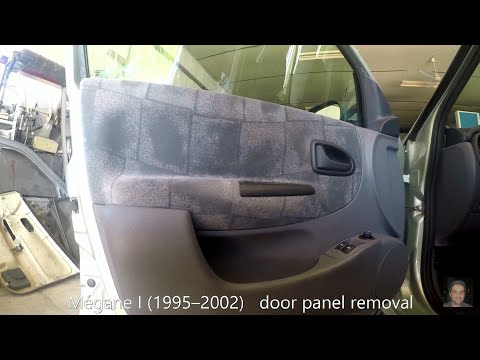
How do you remove the door panel on a Renault Megane? Follow these steps for disassembly. Before starting, disconnect the battery terminals located in the boot. Use a lever to remove the plastic cover of the release handle, then remove the handle cover on the panel. Using a screwdriver, unscrew the securing screws located in the plastic handle. Once all screws are removed, use the lever to detach the window switch panel, the speaker, and all the plastic clips securing the door. Pull the door panel away by hand, disconnect any power connectors and release cable. by ScegliAuto More videos
|
|
For advertising on this site Write to info@scegliauto.com
ScegliAuto is not responsible for any inaccuracy of the data in the lists. To report any inaccuracy or your business (if you own the business in question), please write to info@scegliauto.com
Number of seconds to generate the page: 0.106
(c) ScegliAuto 2026 - info@scegliauto.com - Privacy policy VAT number: IT01247470535 |
