
|
Do it yourself
| |||
| ||||


|
Model: Suzuki V Storm 650
To set the clock on the Suzuki V-Strom 650, turn on the instrument panel and then press the METER button located on the right handlebar. At this point, hold down the METER button and the ADJUST button on the left side of the panel. This will allow you to press the ADJUST button repeatedly to change the minutes, while the METER button can be used to change the hours. Once the adjustment is complete, return to the initial screen and turn off the instrument panel.
Updated on 14 September 2026 by ScegliAuto
This video is currently unavailable
Related tutorials
V Storm 650
.. In order to adjust the clock of the Suzuki V-Strom 650, you will need to turn on the instrument panel by turning the key in the ignition switch. Once.. …

V Storm 650
.. To replace the exhaust on a Suzuki V-Strom 650, loosen the screws that secure the exhaust end can to its housing, allowing it to be freed.. …

V Storm 650
.. To replace the coolant in a Suzuki V-Strom 650, loosen the screws securing the coolant hose located on the right side of the bike. Disconnect.. …
|
How to Replace the Battery of the Kymco Agility 125?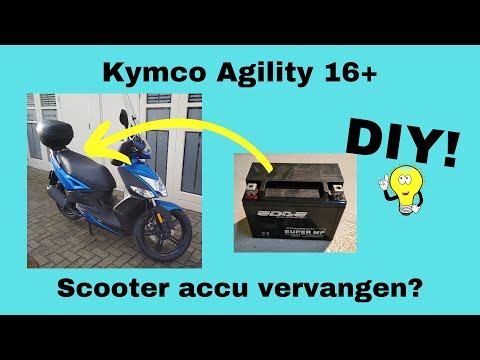
To replace the battery of the Kymco Agility 125, lift the seat to access the compartment underneath. At the rear of the under-seat compartment, you will find the battery under the corresponding panel. By unscrewing the screws that secure the panel, you can access the battery underneath, which must be freed from the corresponding securing screws and the appropriate power cables. Once the device is free, insert the new one, connecting and securing it properly, and cover everything with the panel. by ScegliAuto More videos
|
|
For advertising on this site Write to info@scegliauto.com
ScegliAuto is not responsible for any inaccuracy of the data in the lists. To report any inaccuracy or your business (if you own the business in question), please write to info@scegliauto.com
Number of seconds to generate the page: 0.007
(c) ScegliAuto 2026 - info@scegliauto.com - Privacy policy VAT number: IT01247470535 |
