
|
Do it yourself
| |||
| ||||


How to Set the Time on a Suzuki Burgman
Model: Suzuki Burgman 650
Video tutorial
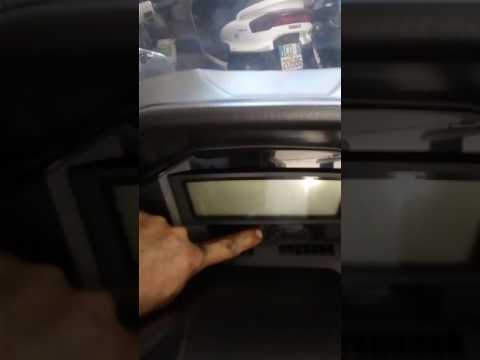
In this video, learn how to set the time on a Suzuki Burgman 650: under the scooter's instrument panel, there are two buttons, one for adjustment and one for selection. You simply need to press and hold both until the time displayed at the top of the screen starts to flash. At this point, use the left button, which is for adjustment, to change the hour as needed, then use the right button to switch to minutes and adjust those with the left button. Once the time is set, let it flash until it becomes fixed. Operation complete.
Updated on 3 October 2026 by ScegliAuto
Related tutorials
Burgman 650
In this tutorial, we can see how to adjust the time on the Suzuki Burgman 650 scooter, an extremely simple and quick operation to perform, for exampl…

Burgman 650
.. In this tutorial, you will learn how to set the time on a Suzuki Burgman 650 scooter, a very simple and quick operation to perform after.. …
Burgman 650
If you have just performed an oil change on your Suzuki Burgman 650 and do not know how to manually reset the related warning light, then this guide …
|
How to Replace the Exhaust on an Aprilia Sportcity 250
To replace the exhaust on an Aprilia Sportcity 250, loosen the screws that secure the exhaust to its housing: these screws will be located at the bottom and top of the exhaust. Once the support screws are loosened, remove the retaining ring that connects the exhaust to the remaining part of the exhaust pipe. Now, the old exhaust can be completely removed from its housing and replaced with a new spare part; after replacement, check that everything functions correctly. by ScegliAuto More videos
|
|
For advertising on this site Write to info@scegliauto.com
ScegliAuto is not responsible for any inaccuracy of the data in the lists. To report any inaccuracy or your business (if you own the business in question), please write to info@scegliauto.com
Number of seconds to generate the page: 0.008
(c) ScegliAuto 2026 - info@scegliauto.com - Privacy policy VAT number: IT01247470535 |
