
|
Do it yourself
| |||
| ||||


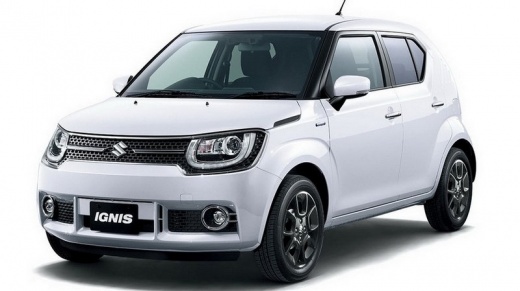
How to select a point of interest on the Suzuki Ignis map
Model: Suzuki Ignis
MK 3
- Years:
2016, 2017, 2018, 2019, 2020, 2021, 2022, 2023, 2024
Video tutorial
In this video we can see how to select a point of interest on the satellite navigator of our Suzuki Ignis: it is possible to search for a point of interest on the map and set it as our destination; to view its details, simply touch it for a few seconds; by touching the option "POIs nearby", all those whose characteristics we have previously selected as important to us will appear, which we can do from a list of categories. Consequently, the system will calculate the time and mileage to reach that specific destination. It is possible to save our points of interest on the screen, with information related to it, as long as it is expressed in a special format, for which all loading instructions are provided, as well as how to display it on the screen. Instructions are also provided on how to save a destination as a favorite, if it happens to be a regular destination.
Posted on 4 December 2024 by ScegliAuto
Related tutorials
Suzuki Ignis
(2016-2024 /
MK 3)
Before starting, sit in the driver's seat of your Suzuki Ignis. Begin by repeatedly pressing the "INFO" button until you reach a blank screen on the …

Suzuki Ignis
(2016-2024 /
MK 3)
There are two ways to set the time on the Suzuki Ignis. Let's discover both of them thanks to the video shown here. The first one involves holding do…
Suzuki Ignis
(2016-2024 /
MK 3)
Before starting, sit in the driver's seat of your Suzuki Ignis. Begin by activating the instrument panel by turning the ignition key in the lock, wit…
Other guides you may be interested in |
How to Reset the AdBlue Warning Light on a Peugeot Boxer
To reset the AdBlue system on a 2018 Peugeot Boxer, follow these steps: Start the engine and ensure the vehicle is parked in a well-ventilated area. Locate the "MENU" button on the dashboard or steering wheel controls. Press and hold the "MENU" button until the menu options appear on the display. Use the arrow buttons or scroll wheel to access the "Vehicle Settings" or "Settings" menu. Select the "AdBlue" or "AdBlue System" option. Look for the "Recharge" or "Reset" option in the AdBlue menu. Once you find the reset option, select it and confirm your choice when prompted. The system will be reset, and a confirmation message may appear on the display. Turn off the engine and wait a few seconds. Restart the engine and check that the AdBlue system has been reset. by ScegliAuto More videos
|
|
For advertising on this site Write to info@scegliauto.com
ScegliAuto is not responsible for any inaccuracy of the data in the lists. To report any inaccuracy or your business (if you own the business in question), please write to info@scegliauto.com
Number of seconds to generate the page: 0.010
(c) ScegliAuto 2026 - info@scegliauto.com - Privacy policy VAT number: IT01247470535 |
