
|
Do it yourself
| |||
| ||||


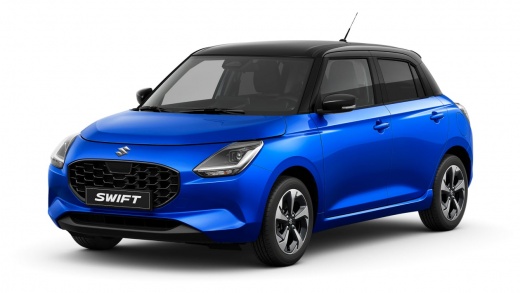
How to deactivate the road sign recognition alert on the Suzuki Swift
Model: Suzuki Swift
MK 4
- Years:
2024, 2025, 2026
Video tutorial
Let's see how to deactivate these alerts on the Suzuki e-Hybrid; turn on the car (the setting resets with each start-up). Press and hold the two buttons on the dashboard (the one with the hyphens and the one with the "a" symbol in parentheses) and hold them for 5 seconds, until an advanced configuration menu appears; look for the TSR (Traffic Sign Recognition) option where we can choose complete deactivation, or just deactivate the audible alarm. The problem is that this procedure must be repeated every time the car is turned on: it's inconvenient but due to EU regulations it's the only possible way.
Posted on 13 November 2025 by ScegliAuto
Related tutorials
Suzuki Swift
(2017-2024 /
MK 6, A2L)
The instructions in this guide will show us how to permanently deactivate the anti-theft system on the Suzuki Swift. First, we get into the car and s…

Suzuki Swift
(2024-2026 /
MK 4)
In this guide, you will find instructions on how to activate and deactivate the speed limiter on a Suzuki Swift. First, get inside the cabin and turn…

Suzuki Swift
(2010-2017 /
AZG, MK 5, Rs41)
The programming procedure of the Suzuki Swift key is carried out by inserting the key to be programmed into the ignition switch: now you will need to…
Other guides you may be interested in |
How to Set the Time in an Audi A4?
In this tutorial, you will see how to set the time in an Audi A4, a very simple and quick operation to perform after replacing the battery or when the time changes. First, insert the key and turn on the instrument cluster. Then, press the "SETUP" button located on the center console. Next, press the upper left arrow button, navigate to the "Time" option, and use the central knob to adjust the clock. Finally, set any necessary formats and save by returning to the main screen. by ScegliAuto More videos
|
|
For advertising on this site Write to info@scegliauto.com
ScegliAuto is not responsible for any inaccuracy of the data in the lists. To report any inaccuracy or your business (if you own the business in question), please write to info@scegliauto.com
Number of seconds to generate the page: 0.018
(c) ScegliAuto 2026 - info@scegliauto.com - Privacy policy VAT number: IT01247470535 |
