
|
Do it yourself
| |||
| ||||


Model: Sym Nht 125
In this tutorial, see how to reset the service on a SYM NHT 125 scooter, a very simple and quick operation to be performed only after completing all scheduled maintenance tasks. First, insert the key, then turn on the instrument panel and, using the left button on the dashboard, navigate to the partial odometer "TRIP". Next, press and hold the right button for about two seconds, wait for the maintenance light to disappear, and verify that the procedure has been successful by restarting the panel.
Posted on 12 March 2026 by ScegliAuto
Video tutorial
Related tutorials
Nht 125
It will be possible to completely reset the Service light that is shown on the instrument panel of the Sym NHT 125 by turning on the panel, inserting…

Nht 125
It will be possible to replace the exhaust pipe of the Sym NHT 125 by loosening the screws that fix the exhaust terminal to its housing, on the right…
|
How to Replace the Battery in a Yamaha Vino 125 Scooter?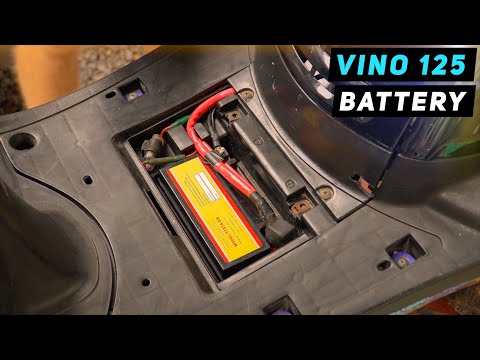
In this tutorial, you will see how to replace the battery in a Yamaha Vino 125 scooter, a very simple and quick operation. First, ensure that the key is not inserted for safety. Then, lift the rubber mat and, using a simple cross-head screwdriver, unscrew the two screws securing the plastic cover. Once opened, disconnect both terminals, starting with the negative, and remove the battery from its housing. To fit the replacement, simply follow the reverse procedure. by ScegliAuto More videos
|
|
For advertising on this site Write to info@scegliauto.com
ScegliAuto is not responsible for any inaccuracy of the data in the lists. To report any inaccuracy or your business (if you own the business in question), please write to info@scegliauto.com
Number of seconds to generate the page: 0.069
(c) ScegliAuto 2026 - info@scegliauto.com - Privacy policy VAT number: IT01247470535 |
