
|
Do it yourself
| |||
| ||||


Model: Sym Simphony St 125
If the oil warning light appears on your Sym Symphony ST 125, do not panic. This light comes on every 1,000 miles to remind you to change the oil and filter. The operation is quite simple, and besides being able to do it at any garage, if you have some DIY skills, it can easily be done in your garage. Once you have changed the oil, the light must be reset. To do this, press the "mode" button until the "oil" option appears. At this point, quickly press the "set" button twice, and you're done! This procedure applies to almost all models from this manufacturer.
Updated on 24 April 2026 by ScegliAuto
Video tutorial
Related tutorials
Symphony 125
To replace the engine oil of the Sym Symphony 125, you need to loosen the drain plug located in the central lower part of the motorcycle: once the pl…

Symphony 125
In order to reset the Service light on the Sym Symphony 125, you need to insert the ignition key into the ignition switch so that the instrument pane…

Symphony 125
It will be possible to make the Service indicator on the instrument panel of the Sym Symphony 125 disappear by first turning on the panel, inserting …
|
How to reset the oil change light on a Suzuki Burgman 650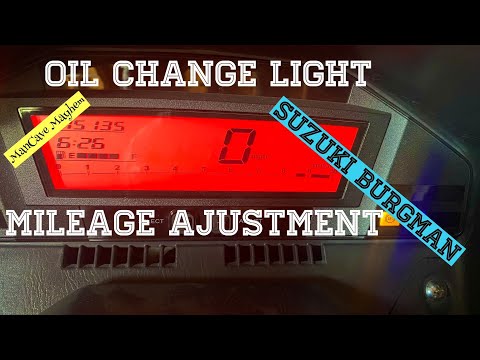
Reset the service light on a Suzuki Burgman 650 after completing the required services: First, turn on the ignition. Then, press the button on the left of the instrument panel four times until the mileage until the next service appears. Hold it down for a couple of seconds. On the right side of the instrument panel, there is another button. Press this for a couple of seconds, and the oil light will start to flash. Use the left button to gradually decrease the mileage until you reach the distance at which you want to change the oil again. The YouTuber sets it to 3,000 miles. To confirm, press and hold the left button, and the reset is complete. by ScegliAuto More videos
|
For advertising on this site Write to info@scegliauto.com
ScegliAuto is not responsible for any inaccuracy of the data in the lists. To report any inaccuracy or your business (if you own the business in question), please write to info@scegliauto.com
Number of seconds to generate the page: 0.374
(c) ScegliAuto 2026 - info@scegliauto.com - Privacy policy VAT number: IT01247470535 |
