
|
Do it yourself
| |||
| ||||


Tata Safari Storme - KeyKey Tata Safari Storme (2012-2019 / mk 1) Tata Safari Storme (2012-2019 / MK 1) How to Replace the Key Transponder on a Tata Safari Storme If you are experiencing issues with the remote key fob of your vehicle and need to replace the transponder, the description below contains simple instructions …Read all… Posted on 30 October 2026 by ScegliAuto  Tata Safari Storme (2012-2019 / MK 1) How to Program a New Key for the Tata Safari Storme You can program a new remote key for the Tata Safari Storme without needing an already programmed key or consulting a professional. The procedure is …Read all… Posted on 24 October 2026 by ScegliAuto  Tata Safari Storme (2012-2019 / MK 1) How to Replace the Remote Battery in the Tata Safari Storme? Replacing the remote battery in the Tata Safari Storme, as shown in this tutorial, is an extremely simple and quick task. To do this, you will only need a …Read all… Posted on 23 July 2026 by ScegliAuto  Tata Safari Storme (2012-2019 / MK 1) How to Replace the Key Shell of the Tata Safari Storme To change the key shell of the Tata Safari Storme, start by prying open the new shell with a small flathead screwdriver. Next, take the old shell and remove …Read all… Posted on 16 July 2026 by ScegliAuto Control unit (1) Key (4) Fog lights (1) Air filter (1) Diesel fuel filter (1) Brake pads (2) Pump (1) Windshield wipers (1) |
Resetting the Service Light on the Mitsubishi Canter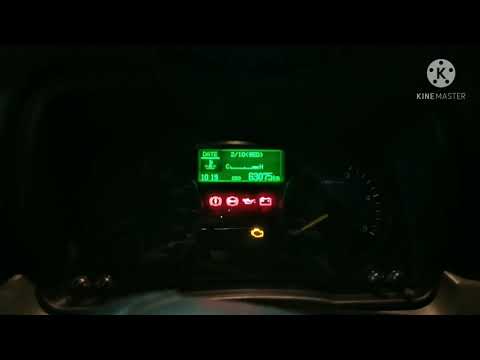
When it is necessary to change the engine oil of the Mitsubishi Canter, a warning on the dashboard alerts us to this requirement. Once this maintenance task is completed, you must reset the control system. Sit in the driver's seat and turn on the instrument panel. Without starting the engine, press and hold the accelerator pedal for twenty seconds. After this time interval, while still holding the accelerator pedal, pump the brake pedal six times. Once done, the warning on the instrument panel will turn off, confirming the reset. by ScegliAuto More videos
|
|
For advertising on this site Write to info@scegliauto.com
ScegliAuto is not responsible for any inaccuracy of the data in the lists. To report any inaccuracy or your business (if you own the business in question), please write to info@scegliauto.com
Number of seconds to generate the page: 0.005
(c) ScegliAuto 2026 - info@scegliauto.com - Privacy policy - About us VAT number: IT01247470535 |
