
|
Do it yourself
| |||
| ||||


How to reset the service of Tata Tiago
Model: Tata Tiago
MK 1
- Years 2016-2024
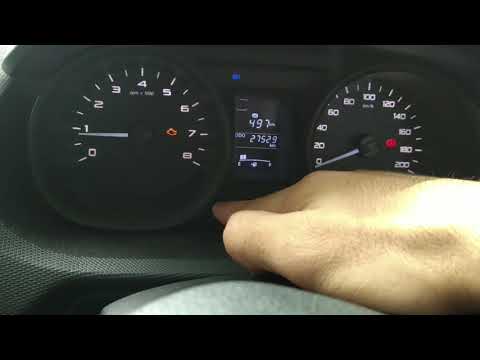
The service notice for the oil change appears on the instrument panel after exceeding a certain mileage (routine maintenance); let's see the reset procedure on the Tata Tiago. First of all, we get into the car and start the instrument panel; then we press and hold the "set" button until the service message flashes, as shown in the video. At this point, we release the button and press it again, definitively resetting the oil change notice; finally, we turn off the instrument panel and start the engine!
Posted on 9 September 2024 by ScegliAuto
Video tutorial
Related tutorials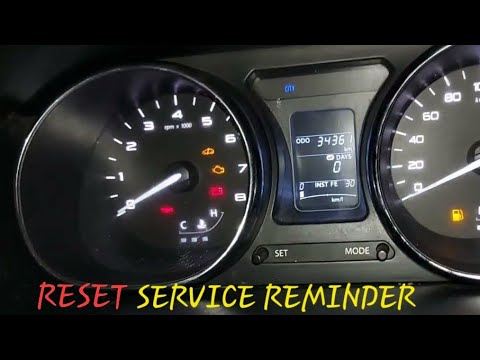
Tata Tiago
(2016-2024 /
MK 1)
In this tutorial, we can see how to reset the service in the Tata Tiago, an extremely simple and fast operation, to be performed only once all the re…

Tata Tiago
(2016-2024 /
MK 1)
In this tutorial we can see how to reset the service in the Tata Tiago, an extremely simple and quick operation, to be carried out only once all sche…
Tata Tiago
(2016-2024 /
MK 1)
In this tutorial, we can see how to reset the service in the Tata Tiago, a very simple and fast operation to be carried out only after completing all…
Other guides you may be interested in
|
Fuse Replacement on Fiat Grande Punto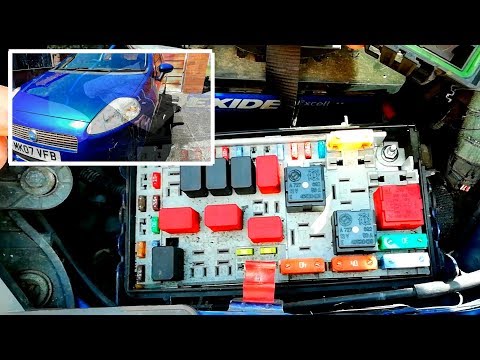
Fuse replacement on the Fiat Grande Punto? Let's see where they are located. Open the door and enter the cabin, then open the glove compartment in the front dashboard (you will find the fuses there). You will also find fuses in the engine compartment: open the front bonnet and remove the cover near the battery using a plastic lever. Use pliers to disconnect the damaged fuses located in the compartment. Once this is done, insert the new fuses into the designated slots in the compartment. Close the fuse inspection box with the cover. by ScegliAuto More videos
|
|
For advertising on this site Write to info@scegliauto.com
ScegliAuto is not responsible for any inaccuracy of the data in the lists. To report any inaccuracy or your business (if you own the business in question), please write to info@scegliauto.com
Number of seconds to generate the page: 0.054
(c) ScegliAuto 2026 - info@scegliauto.com - Privacy policy VAT number: IT01247470535 |
