
|
Do it yourself
| |||
| ||||


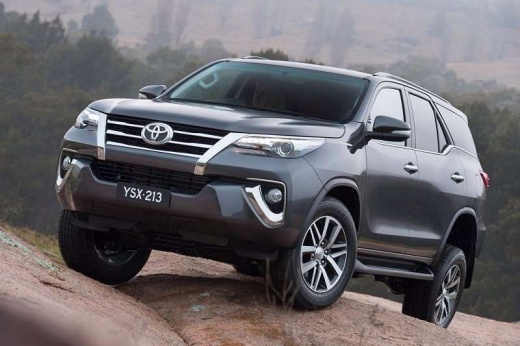
How to reset the tire warning light in the Toyota Fortuner?
Model: Toyota Fortuner
An160
- Years:
2015, 2016, 2017, 2018, 2019, 2020, 2021, 2022, 2023, 2024
Video tutorial
Resetting the tire warning light in the Toyota Fortuner, as we can see in this tutorial, is an extremely simple and quick operation. Before proceeding, we must have restored the correct pressure of each tire following the indications in the manual. Let's start by going inside the cabin, then insert the key and turn on the instrument panel. Next, locate the button featuring the icon of the warning light in question, positioned in the lower left area of the dashboard, on the driver's side, and hold it down for as long as necessary for the warning light to disappear from the panel.
Posted on 25 January 2026 by ScegliAuto
Related tutorials
Toyota Fortuner
(2015-2024 /
An160)
In this tutorial, you will see how to reset the tire light on a Toyota Fortuner. This operation is extremely simple and quick, to be performed only a…

Toyota Fortuner
(2015-2024 /
An160)
Follow this guide to remove and replace the tire with the spare on the Toyota Fortuner, following the instructions below. First, open the trunk and g…
Toyota Fortuner
(2015-2024 /
An160)
When the AdBlue warning light appears on the instrument panel of the Toyota Fortuner, it means that the additional fluid in the designated tank is al…
Other guides you may be interested in
|
Fuses Placement and Diagram for the Mercedes Vito
Check the diagram and placement of the fuse boxes for the Mercedes Vito by following the instructions below. First, open the bonnet and locate the external fuse box; you will find it by removing the plastic cover situated at the top of the engine compartment, as shown in the video. At this point, find another fuse box in the cabin, specifically under the driver's seat; use the owner's manual to find the fuse diagram and replace any faulty fuse with a new one that has the same amperage rating. by ScegliAuto More videos
|
|
For advertising on this site Write to info@scegliauto.com
ScegliAuto is not responsible for any inaccuracy of the data in the lists. To report any inaccuracy or your business (if you own the business in question), please write to info@scegliauto.com
Number of seconds to generate the page: 0.109
(c) ScegliAuto 2026 - info@scegliauto.com - Privacy policy VAT number: IT01247470535 |
