
|
Do it yourself
| |||
| ||||


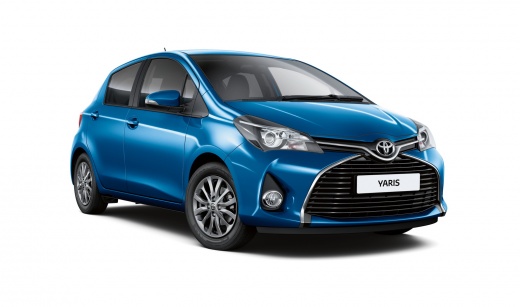
How to Replace the Battery in the Toyota Yaris Key
Model: Toyota Yaris
Xp130
- Years:
2011, 2012, 2013, 2014, 2015, 2016, 2017, 2018, 2019
Video tutorial
As shown in this video, replacing the battery inside the key of your Toyota Yaris is a very simple operation. First, use a small Phillips screwdriver to remove the closure screw of the key. Once removed, you can open the key. Inside, you will find the casing with the connections and the battery. Open the casing and remove the old battery. Once removed, you can replace it with the new one and proceed to close the key by following the same steps in reverse.
Posted on 7 May 2026 by ScegliAuto
Related tutorials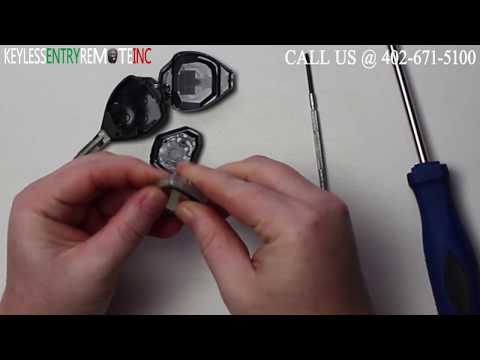
Toyota Yaris
(2005-2011 /
Xp90)
Start by inserting the tip of a flathead screwdriver into the slot on the side of your Toyota Yaris key and lever it open. Then, detach and remove th…

Toyota Yaris
(2005-2011 /
Xp90)
To correctly replace the battery in your Toyota Yaris key, all you need is a small flathead screwdriver and, of course, a new battery (in this case C…
Toyota Yaris
(2020-2026 /
MK 4)
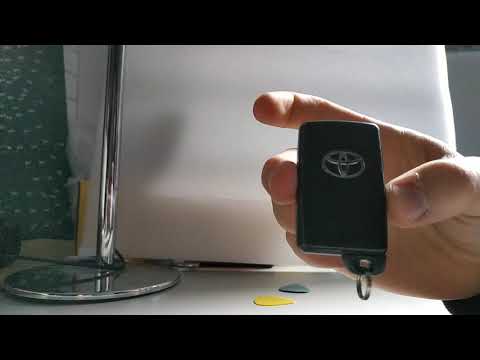
Replacing the battery of a Toyota Yaris key fob is not complicated. First, extract the metal key from inside the fob by pressing the button on the si…
Other guides you may be interested in
|
How to reset the Service light on a 2019 Jeep Renegade?
The Service light, depicted as a yellow spanner, illuminates as scheduled to remind the driver that it is time for scheduled maintenance. This means that the set mileage has been reached, or the expected time has passed. The procedure involves turning on the instrument cluster, pressing the accelerator three times, and then turning off the ignition. After this, keep the brake pressed, turn the ignition back on, and then turn it off again. Upon the next ignition, you will notice that the light has been reset. by ScegliAuto More videos
|
|
For advertising on this site Write to info@scegliauto.com
ScegliAuto is not responsible for any inaccuracy of the data in the lists. To report any inaccuracy or your business (if you own the business in question), please write to info@scegliauto.com
Number of seconds to generate the page: 0.126
(c) ScegliAuto 2026 - info@scegliauto.com - Privacy policy VAT number: IT01247470535 |
