
|
Do it yourself
| |||
| ||||


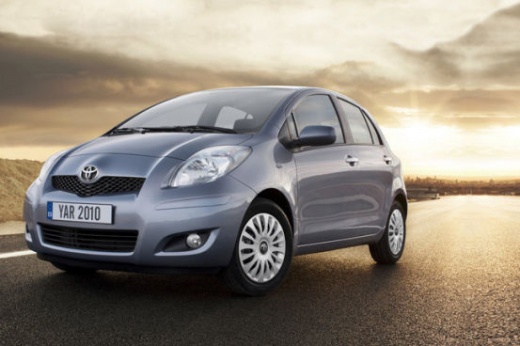
How to Adjust the Fog Lights in the Toyota Yaris?
Model: Toyota Yaris
- Years:
2005, 2006, 2007, 2008, 2009, 2010, 2011
Video tutorial
The fog lights, specifically for the Toyota Yaris 2, are adjustable, allowing you to set the beam orientation just like the other lights, main and dipped beams. Now, let's move on to the practical part, which is how to perform this adjustment: position the vehicle ideally in front of a white wall, mark a fixed point, keeping in mind that the light should not aim too far but downwards, and proceed with the adjustment using the dial located at the back of the lights in question. By turning it clockwise or anti-clockwise, the light beam will raise or lower.
Posted on 18 October 2026 by ScegliAuto
Related tutorials
Toyota Yaris
(2011-2019 /
Xp130)
This generic video guide accurately explains how to replace the fog light bulbs of any car, including the Toyota Yaris mentioned, as the operating me…

Toyota Yaris
(2011-2019 /
Xp130)
In order to replace the fog light of the Toyota Yaris, you need to pry with an object like a screwdriver, so that you can detach the cover located ar…

Toyota Yaris
(2011-2019 /
Xp130)
To activate the fog lights on a Toyota Yaris, first insert the ignition key into the ignition switch and turn it to activate the instrument cluster: …
Other guides you may be interested in
|
Replacing the Gear Knob on the Renault Espace
The following steps will show you how to remove and replace the gear knob of the manual gearbox on the Renault Espace. First, get in the vehicle and start by removing the small upper cover of the knob; to remove it, simply pull the gear knob upwards with force to detach it from the lever, as shown in the video. At this point, remove and replace the gear gaiter if necessary, installing the new one; finally, insert the new gear knob, securing it properly onto the lever (ensure there is no play between the lever and the knob). by ScegliAuto More videos
|
|
For advertising on this site Write to info@scegliauto.com
ScegliAuto is not responsible for any inaccuracy of the data in the lists. To report any inaccuracy or your business (if you own the business in question), please write to info@scegliauto.com
Number of seconds to generate the page: 0.009
(c) ScegliAuto 2026 - info@scegliauto.com - Privacy policy VAT number: IT01247470535 |
