
|
Do it yourself
| |||
| ||||


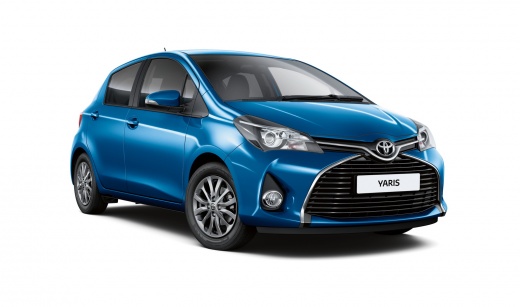
How to Open the Fuel Cap of a Toyota Aygo
Model: Toyota Yaris
Xp130
- Years:
2011, 2012, 2013, 2014, 2015, 2016, 2017, 2018, 2019
Video tutorial
Let's see how to open the fuel cap for refuelling a Toyota Aygo. First, open the fuel flap located on the left side of the car's body (pull the lever near the driver's seat to open it); you will find the black plastic fuel cap: unscrew it and remove it from the tank opening (attach the cap to the flap). After refuelling, tighten the cap onto the threads of the opening (as shown in the video). Close the fuel flap with the designated button (press the flap until you hear a click).
Updated on 13 March 2026 by ScegliAuto
Related tutorials
Toyota Yaris
(2011-2019 /
Xp130)
In this guide video, see how to open and close the fuel cap on a Toyota Yaris. First, open the fuel flap located on the right or left side of the car…

Toyota Yaris
(2011-2019 /
Xp130)
Need to open the fuel cap on your Yaris? Here's how to open the flap to access the fuel cap. Open the car door and pull the lever near the front seat…

Toyota Yaris
(2011-2019 /
Xp130)
In this brief video, learn how to open the fuel cap of a third-generation Toyota Yaris to refuel. There is only one option to open the fuel tank cap …
Other guides you may be interested in
|
How to Set the Clock on a Fiat Scudo
Setting the time on a Fiat Scudo is a simple and quick operation. First, turn on the vehicle's onboard computer and then press the SET button located on the dashboard. The settings menu will appear on the display; press the "+" button to select the "TIME" option using the "SET" button. Once in the clock menu, you can choose the format and adjust the hours and minutes by pressing the "+", "-" and "SET" buttons. When finished, return to the main menu and then turn off the ignition to complete the reset. by ScegliAuto More videos
|
For advertising on this site Write to info@scegliauto.com
ScegliAuto is not responsible for any inaccuracy of the data in the lists. To report any inaccuracy or your business (if you own the business in question), please write to info@scegliauto.com
Number of seconds to generate the page: 0.054
(c) ScegliAuto 2026 - info@scegliauto.com - Privacy policy VAT number: IT01247470535 |
