
|
Do it yourself
| |||
| ||||


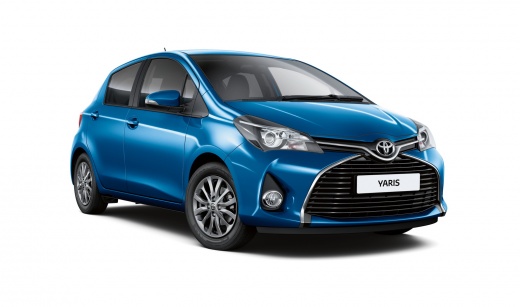
How to Replace the Front Headlamp Bulbs in a Toyota Yaris
Model: Toyota Yaris
Xp130
- Years:
2011, 2012, 2013, 2014, 2015, 2016, 2017, 2018, 2019
Video tutorial
In this tutorial, you will see how to replace the front headlamp bulbs in a Toyota Yaris, a very simple and quick operation. For this, you will need 2 replacement H4 bulbs. First, ensure the key is not in the ignition, then open the bonnet and disconnect the black connector located at the rear of the headlamp. Next, remove the circular rubber cover and unlock the metal clip by pressing it inwards, as shown in the video. At this point, you can extract the old bulb and insert the replacement, taking care not to touch it directly with your bare hands.
Updated on 18 May 2026 by ScegliAuto
Related tutorials
Toyota Yaris
(2005-2011 /
Xp90)
Do you want to change the bulb on your Toyota Yaris? Let’s see how to remove the damaged bulbs from the front headlight. Lift the front bonnet and lo…

Toyota Yaris
(2005-2011 /
Xp90)
Are the headlight bulbs damaged? Let’s look at removing the front headlight bulbs from a Toyota Yaris. Lift the front bonnet of the car and secure it…

Toyota Yaris
(2005-2011 /
Xp90)
Let's look at replacing the damaged bulbs inside the front headlight of a Toyota Yaris. Lift the bonnet and locate the back of the headlight. Remove …
Other guides you may be interested in |
How to reset the service light on a Lancia Ypsilon?
When the service light comes on in a Lancia Ypsilon, as with any vehicle, it indicates that the car needs servicing, including an oil change and oil filter replacement. The vehicle shown in the video, the Lancia Ypsilon, can be easily maintained by yourself; changing the engine oil is not a complex task, nor is resetting the aforementioned light. Here’s the reset procedure: Turn on the ignition, press the accelerator pedal down, and press the brake pedal seven times. After this, wait sixty seconds, release the accelerator, and turn off the ignition. Reset completed. by ScegliAuto More videos
|
|
For advertising on this site Write to info@scegliauto.com
ScegliAuto is not responsible for any inaccuracy of the data in the lists. To report any inaccuracy or your business (if you own the business in question), please write to info@scegliauto.com
Number of seconds to generate the page: 0.077
(c) ScegliAuto 2026 - info@scegliauto.com - Privacy policy VAT number: IT01247470535 |
