
|
Do it yourself
| |||
| ||||


How to Reset the TPMS Light on a Toyota Camry
Model: Toyota Camry
Xv70
- Years 2018-2024
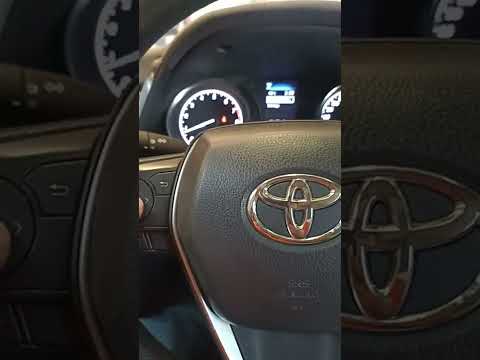
The TPMS sensor provides real-time readings of your car's tire pressures. After a new inflation or due to minor malfunctions, this sensor may display reading errors, requiring a manual reset. To do this on your Toyota Camry, follow these steps. First, insert the key and turn it to the 'On' position to power the dashboard. Next, using the directional arrow buttons, scroll through the menu until you find the settings option. Select "Vehicle Settings" and then "TPWS". At this point, choose the "Set Pressure" option, and shortly after, the reset is complete.
Updated on 14 June 2026 by ScegliAuto
Video tutorial
Related tutorials
Toyota Camry
(2006-2013 /
Xv40)
If the TPMS light incorrectly detects a tire pressure issue on your Toyota Camry, you need to perform the following manual reset procedure. The entir…
Toyota Camry
(2018-2024 /
Xv70)
In this guide for your 2020 Toyota Camry, we will show you a very simple method that allows you to reset the TPMS light in just a few seconds and at …

Toyota Camry
(2018-2024 /
Xv70)
This guide describes the steps necessary to manually reset the TPMS light on your new 2021 Toyota Camry. First, press the "Start/Stop Engine" button …
Other guides you may be interested in
|
How to Replace the Cabin Filter on the Opel Grandland X
If you own an Opel Grandland X and want to know the steps to replace the cabin air filter, carefully read the following guide and follow the described steps. First, enter the vehicle and go to the passenger side. Then, locate the box containing the air filter in the lower side area of the dashboard. Remove the cover of the box and finally replace the old filter with the new one. Refit the cover, and you are done. by ScegliAuto More videos
|
|
For advertising on this site Write to info@scegliauto.com
ScegliAuto is not responsible for any inaccuracy of the data in the lists. To report any inaccuracy or your business (if you own the business in question), please write to info@scegliauto.com
Number of seconds to generate the page: 0.121
(c) ScegliAuto 2026 - info@scegliauto.com - Privacy policy VAT number: IT01247470535 |
