
|
Do it yourself
| |||
| ||||


Toyota Venza - KeyKey Toyota Venza (2020-2027 / mk 2,xu 80) Toyota Venza (2008-2017 / MK 1, Av10) How to Replace the Key Battery on the Toyota Venza If you own a first-generation Toyota Venza and do not know how to replace the battery in the key, this guide is for you. Simply read the steps described and …Read all… Posted on 7 June 2026 by ScegliAuto 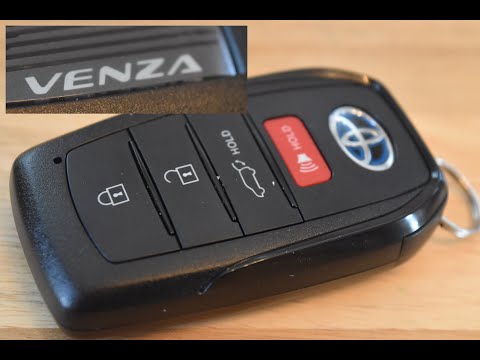 Toyota Venza (2020-2026 / MK 2, Xu80) How to Replace the Remote Battery on a Toyota Venza To replace the remote battery on a Toyota Venza, pull the key out of its housing by using the lever located at the top of the device: this way, the key can be …Read all… Posted on 14 August 2026 by ScegliAuto 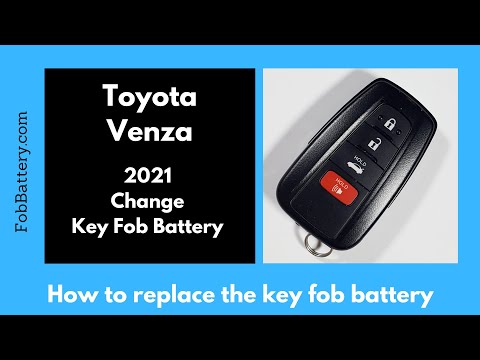 Toyota Venza (2020-2026 / MK 2, Xu80) How to Replace the Key Battery in a 2021 Toyota Venza Replacing the battery in your 2021 Toyota Venza smart key is a very simple maintenance task that takes just a few seconds to complete correctly. Here’s how …Read all… Posted on 22 October 2026 by ScegliAuto 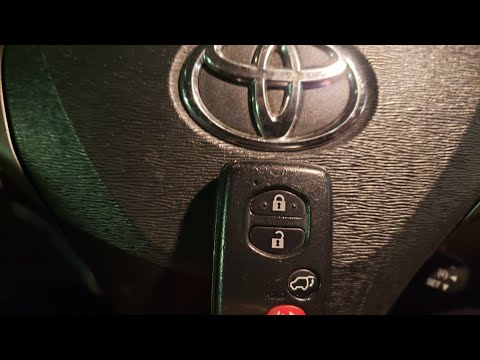 Toyota Venza (2008-2017 / MK 1, Av10) How to Replace the Key Battery for the Toyota Venza If the smart key for your first-generation Toyota Venza (model years 2008-2017) suddenly stops working, don't worry; you just need to replace the button …Read all… Posted on 17 September 2026 by ScegliAuto  Toyota Venza (2008-2017 / MK 1, Av10) How to Replace the Key Battery of the Toyota Venza If your Toyota Venza Mk1 key has suddenly stopped working, don't rush to buy a new key because the solution might be much simpler and cheaper than expected. In …Read all… Posted on 7 September 2026 by ScegliAuto 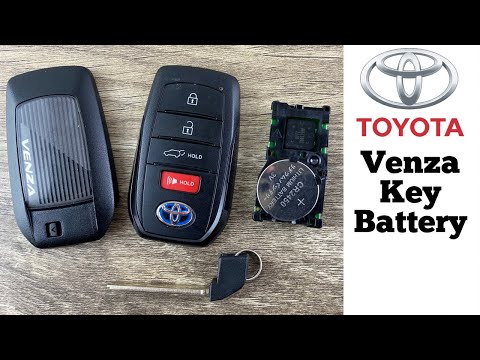 Toyota Venza (2020-2026 / MK 2, Xu80) How to Replace the Key Battery on a Toyota Venza If you notice that the efficiency of your remote key battery has decreased, you can replace it by following the instructions in this description. First, …Read all… Posted on 21 July 2026 by ScegliAuto Key Toyota Venza (2008-2017 / mk 1,av 10)
Toyota Venza (2008-2017 / MK 1, Av10)How to Replace the Key Battery on the Toyota Venza If you own a first-generation Toyota Venza and do not know how to replace the battery in the key, this guide is for you. Simply read the steps described and …Read all… Posted on 7 June 2026 by ScegliAuto
Toyota Venza (2020-2026 / MK 2, Xu80)How to Replace the Remote Battery on a Toyota Venza To replace the remote battery on a Toyota Venza, pull the key out of its housing by using the lever located at the top of the device: this way, the key can be …Read all… Posted on 14 August 2026 by ScegliAuto
Toyota Venza (2020-2026 / MK 2, Xu80)How to Replace the Key Battery in a 2021 Toyota Venza Replacing the battery in your 2021 Toyota Venza smart key is a very simple maintenance task that takes just a few seconds to complete correctly. Here’s how …Read all… Posted on 22 October 2026 by ScegliAuto
Toyota Venza (2008-2017 / MK 1, Av10)How to Replace the Key Battery for the Toyota Venza If the smart key for your first-generation Toyota Venza (model years 2008-2017) suddenly stops working, don't worry; you just need to replace the button …Read all… Posted on 17 September 2026 by ScegliAuto
Toyota Venza (2008-2017 / MK 1, Av10)How to Replace the Key Battery of the Toyota Venza If your Toyota Venza Mk1 key has suddenly stopped working, don't rush to buy a new key because the solution might be much simpler and cheaper than expected. In …Read all… Posted on 7 September 2026 by ScegliAuto
Toyota Venza (2020-2026 / MK 2, Xu80)How to Replace the Key Battery on a Toyota Venza If you notice that the efficiency of your remote key battery has decreased, you can replace it by following the instructions in this description. First, …Read all… Posted on 21 July 2026 by ScegliAuto Car stereo (1) Battery (3) Key (6) V-belt (1) Checks and maintenance (1) Air filter (2) Cabin air filter (2) Oil filter (1) Headlight bulb (7) Clock (2) Front bumper (1) Rear bumper (1) Fuse box (5) Warning light – error code (2) Tire pressure warning light (1) Service warning light (5) |
Resetting the Tyre Pressure Monitoring System (TPMS) Light on the Toyota Yaris
These brief and simple steps will show you how to reset the tyre pressure monitoring system (TPMS) light on the Toyota Yaris. Before resetting the light, ensure that all four tyres are at the correct operating pressure. Get inside the vehicle on the driver's side and locate the TPMS reset button found at the bottom left of the dashboard (next to the steering wheel); press and hold it until the TPMS light on the instrument cluster resets, following the video until the end! by ScegliAuto More videos
|
|
For advertising on this site Write to info@scegliauto.com
ScegliAuto is not responsible for any inaccuracy of the data in the lists. To report any inaccuracy or your business (if you own the business in question), please write to info@scegliauto.com
Number of seconds to generate the page: 0.006
(c) ScegliAuto 2026 - info@scegliauto.com - Privacy policy - About us VAT number: IT01247470535 |
