
|
Do it yourself
| |||
| ||||


How to Reset the Home Address on UConnect
Model: (Various brands) Various
The UConnect system offers a wide range of interesting features, including the ability to set a home address for quick selection from the GPS menu. This way, you can always find your way back home, regardless of your starting point. Occasionally, this function may encounter minor errors, so it's necessary to reset it. To do this, start the car and then click on the navigation icon. Next, enter the menu that allows you to select the destination and click on "home". At this point, go to the options menu and then select "delete home" to remove the saved address from memory. Now, go back and re-enter the "go home" menu. Enter the address and confirm. Finally, exit the menu.
Updated on 5 May 2026 by ScegliAuto
Video tutorial
Related tutorials
(Various brands) Various
Good morning, today's goal is to reset the Uconnect 5 system in your car. To begin, we carefully move inside the cabin. Once there, we look for the U…
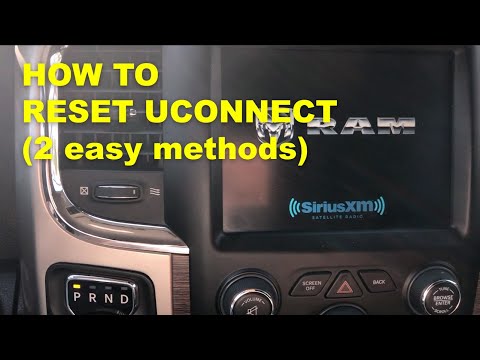
(Various brands) Various
These methods are valid for ALL cars equipped with the Uconnect onboard computer, regardless of the brand. Press the brake pedal and press the "start…

(Various brands) Various
In recent years, infotainment systems in vehicles have become essential. Even smaller cars, like city cars, offer most connected services to stay upd…
Other guides you may be interested in
|
Frequently Asked QuestionsHow to Check the Oil Level on a Jeep Renegade?
To check the oil level on a Jeep Renegade, you need to open the bonnet to access the components inside the engine bay: on the lower left side of the engine block, you will find the dipstick for checking the level. This should be pulled out and thoroughly cleaned with a cloth: once cleaned, reinsert it back into its tube and pull it out immediately after. This way, you can check that the oil mark is between the minimum and maximum levels; finally, you can place the dipstick back in its tube. by ScegliAuto More videos
|
For advertising on this site Write to info@scegliauto.com
ScegliAuto is not responsible for any inaccuracy of the data in the lists. To report any inaccuracy or your business (if you own the business in question), please write to info@scegliauto.com
Number of seconds to generate the page: 0.051
(c) ScegliAuto 2026 - info@scegliauto.com - Privacy policy VAT number: IT01247470535 |
