
|
Do it yourself
| |||
| ||||


How to Update the Uconnect System
Model: (Various brands) Various
Video tutorial
In today's video, we will see how to perform the latest update of the Uconnect system in FCA group vehicles. Turn on the ignition to activate the infotainment system. Now, enter the Uconnect menu and then the Live submenu. Navigate to the settings icon. Select general info to view the latest software versions. Press report issue to allow the system to check if everything is okay. If there are new updates available, press update info and proceed with the update. It will be completed in about twenty seconds.
Updated on 11 May 2026 by ScegliAuto
Related tutorials
(Various brands) Various
Good morning, today the goal is to reset the Uconnect 5 system in your car. First, carefully enter the cabin. Once there, locate the Uconnect control…
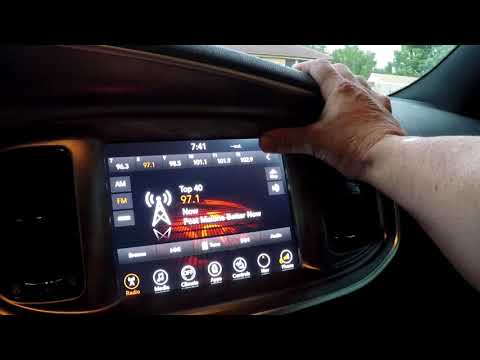
(Various brands) Various
The uConnect system in your car allows you to connect your smartphone to the radio via Bluetooth. To reset the system, power on the instrument cluste…

(Various brands) Various
To reset the uConnect system of your car's radio, insert the ignition key and switch on the instrument panel without starting the engine. Once the sc…
Other guides you may be interested in |
How to Set the Time in an Audi A4?
In this tutorial, you will see how to set the time in an Audi A4, a very simple and quick operation to perform after replacing the battery or when the time changes. First, insert the key and turn on the instrument cluster. Then, press the "SETUP" button located on the center console. Next, press the upper left arrow button, navigate to the "Time" option, and use the central knob to adjust the clock. Finally, set any necessary formats and save by returning to the main screen. by ScegliAuto More videos
|
|
For advertising on this site Write to info@scegliauto.com
ScegliAuto is not responsible for any inaccuracy of the data in the lists. To report any inaccuracy or your business (if you own the business in question), please write to info@scegliauto.com
Number of seconds to generate the page: 0.040
(c) ScegliAuto 2026 - info@scegliauto.com - Privacy policy VAT number: IT01247470535 |
