
|
Do it yourself
| |||
| ||||


How to Reset the LPG Indicator on Landi Renzo
Model: (Various brands) Various
If you encounter issues with the gas level indicator on your vehicle, particularly if the level remains at zero (red light on) even after refuelling, you need to check the electrical system. The first step is to ensure the instrument is functioning. Use a multimeter to check for any short circuits. Next, verify that the connection of the instrument cable to the tank is secure, as a loose connection can occur. Disconnect and reconnect the cable, and the instrument should start working again.
Updated on 6 July 2026 by ScegliAuto
Video tutorial
Related tutorials
(Various brands) Various
What is the frequency at which the LPG filters need to be changed on a vehicle equipped with a Landi Renzo LPG system? These systems have two filters…

(Various brands) Various
We can see in this video how to replace the LPG injectors of a Landi Renzo LPG system, installed as standard on a Fiat group vehicle. On this brand, …
(Various brands) Various
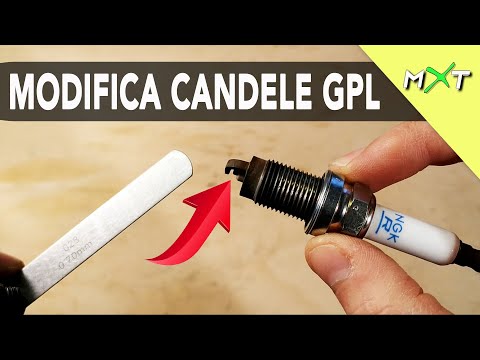
In this video tutorial, see how to modify the spark plugs on LPG cars to improve performance. Required materials: the LPG car spark plug and a feeler…
Other guides you may be interested in
|
Frequently Asked QuestionsHow to Open a Stuck Boot on the Peugeot 407?
On the Peugeot 407, the boot may become stuck, possibly due to a problem with the control button or the lock actuator. In such cases, you can perform an emergency opening by following the simple procedure shown in this tutorial. First, open the rear doors, then lower the seat back by operating the release lever. Next, go inside the boot, locate the lock, and manually operate it using a flathead screwdriver. The boot will then be free to open. by ScegliAuto More videos
|
For advertising on this site Write to info@scegliauto.com
ScegliAuto is not responsible for any inaccuracy of the data in the lists. To report any inaccuracy or your business (if you own the business in question), please write to info@scegliauto.com
Number of seconds to generate the page: 0.763
(c) ScegliAuto 2026 - info@scegliauto.com - Privacy policy VAT number: IT01247470535 |
